

Enterprise-managed authorization
Early access: Enterprise-managed authorization
Enterprise-managed authorization lets AI agents (such as Claude and VS Code) reach the MCP servers your organization runs — without per-tool authorization prompts and without persistent secrets. Users authenticate once to C1; their agents then receive short-lived, scoped tokens checked against entitlements before each issuance. Access is requested, approved, reviewed, and revoked through the same workflow you use for any other access in C1, and every token request is recorded. Built on the open Cross-App Access (XAA) standard.See Enterprise-managed authorization for details, and contact the C1 Support team if you’d like to try it out or share feedback.June 12, 2026
Product digest: June 12, 2026
An update on our release notes: Major new features now appear here the day they ship. For everything else, this biweekly digest is your complete picture of what’s new in C1 over the past two weeks.Trigger requestable actions with the AI assistant
The AI assistant can now discover and trigger requestable actions directly from Slack. Ask what actions are available to you, pick one, and the assistant surfaces the form right in the conversation. Every submission is a deliberate click on your part, and requests run through their configured approval flow.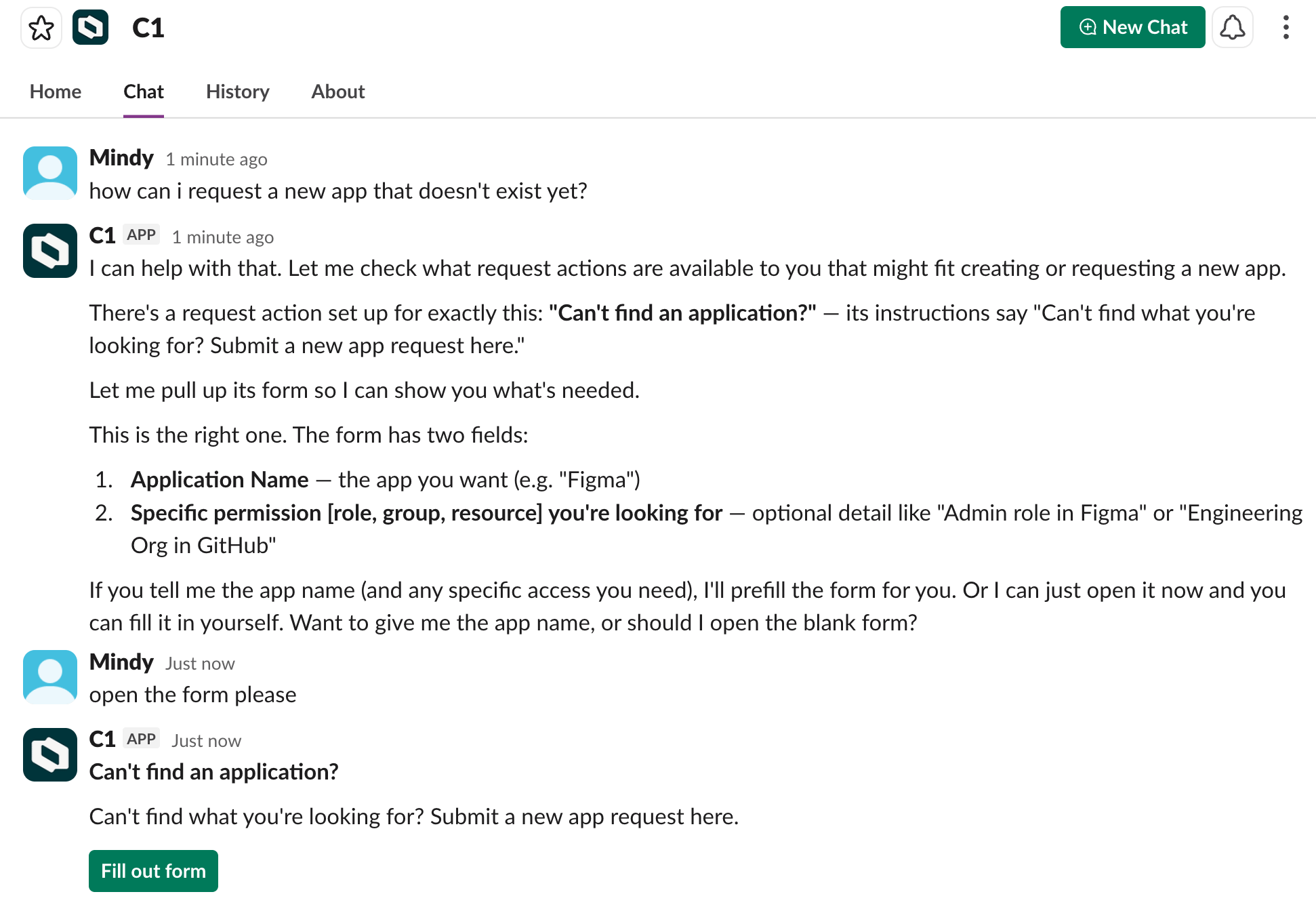
Simpler MCP server setup
- Simplified MCP server authentication: When you add an MCP server, the authentication step now opens pre-filled with the server’s recommended configuration — in most cases, you just enter your credentials and you’re done. Servers that support multiple authentication options present each as its own selectable recommended choice.
- Connection verification: When connecting an external MCP server, C1 now verifies the server URL and credentials before saving. A Test auth config button lets you check the connection at any time and see a clear error message if it fails.
Assign a group (or any entitlement) as the owner of a resource
Resource ownership no longer has to mean maintaining a list of individuals. You can now assign any entitlement — a group, a role, or any other entitlement — as a resource owner, and everyone currently holding that entitlement becomes an owner automatically. Ownership stays current as membership changes.See Change resource owners for details.Use annotations in policy and automation logic
If you’re using object annotations, you can now act on them in policies, approver rules, and entitlement routing rules. Write a CEL expression that readsentitlement.annotations["team"] to route approvals by team, or check entitlement.annotations["managed_by"] == "terraform" to fork logic for IaC-managed resources. Use the in operator to safely check for a key before reading it: "team" in entitlement.annotations.See Object annotations for details.Customizable columns for campaigns
Every team tracks campaigns differently. You can now customize which columns appear on the Campaigns screens — use the column picker on any tab to show, hide, and reorder, and your layout is saved per tab. The new On-time status, Time remaining, and Due date columns are particularly useful for spotting campaigns that need attention before they slip.Deliver credentials to multiple recipients
The Store credential automation step can now deliver a credential to multiple recipients at once. This is useful when onboarding a team to a shared resource or distributing credentials to multiple approvers. Specify multiple SSO users, or multiple email addresses for email verification.Usability improvements
- Multi-step approval notifications: Approvers in multi-step workflows now get notified by email, Slack, or Teams as soon as a request reaches their step, so the right people are looped in at the right time.
- Filter accounts by app: The Accounts tab on your Requests page now has an App filter so you can narrow the list to one or more apps. If you then click Generate CSV, your export reflects exactly what’s on screen.
- Connector “Updated on” column: The Connectors table now has an Updated on column, so you can quickly spot connectors that have been recently modified or identify ones that may need attention.
Connector updates
Learn about the latest connector updates and our many(!) new connectors in the connector release notes.Cloud infrastructure
Early access: Cloud infrastructure governance with hierarchical access modeling
C1 now represents cloud infrastructure access the way cloud platforms model it natively — as bindings between a principal, a role, and a scope — instead of materializing every inherited permission combination as a flat row. The result is a navigable resource hierarchy with breadcrumb navigation, so users can request the right role at the right scope, and reviewers can evaluate access with full hierarchy context rather than working through thousands of identical entries.This early access release supports Azure. Access requests, access reviews, JML automation, and provisioning all work on the hierarchical model from day one.See Cloud Infrastructure Access for details, and contact the C1 Support team if you’d like to try it out or share feedback.Scope access reviews by inheritance
A new By inheritance scope type is available when creating access review campaigns. Instead of selecting individual entitlements, you select resources and role assignments, and C1 resolves all the access that flows into them — including access inherited from parent resources in the hierarchy and through group membership. Reviewers see not just who has access, but why they have it.See Scope an access review campaign by inheritance for details.Entitlement configuration rules
Entitlement configuration rules let you automatically apply request settings — request policy, emergency grant behavior, and maximum grant duration — to entitlements across an entire app, based on conditions you define. Rules are evaluated in priority order; the first match wins. Write a CEL expression to define a rule’s condition. For cloud infrastructure apps, conditions can also match on the granted role and the scope it applies to, so you can apply settings to Azure entitlements without configuring each one by hand.See Entitlement configuration rules for details.Slack AI assistant
C1 AI assistant for Slack
The C1 AI assistant is now available directly in Slack. To start a conversation, type@C1 in any channel where the app is installed, or open the C1 app and use the new Chat tab.The assistant answers questions about your org’s access data — who has what access, how your org is structured, what’s in your entitlement catalog — and can act on what it finds.On your explicit approval, it can approve, deny, reassign, or escalate requests, manage access and entitlements, configure campaigns and conflict monitors, and build automations and policies.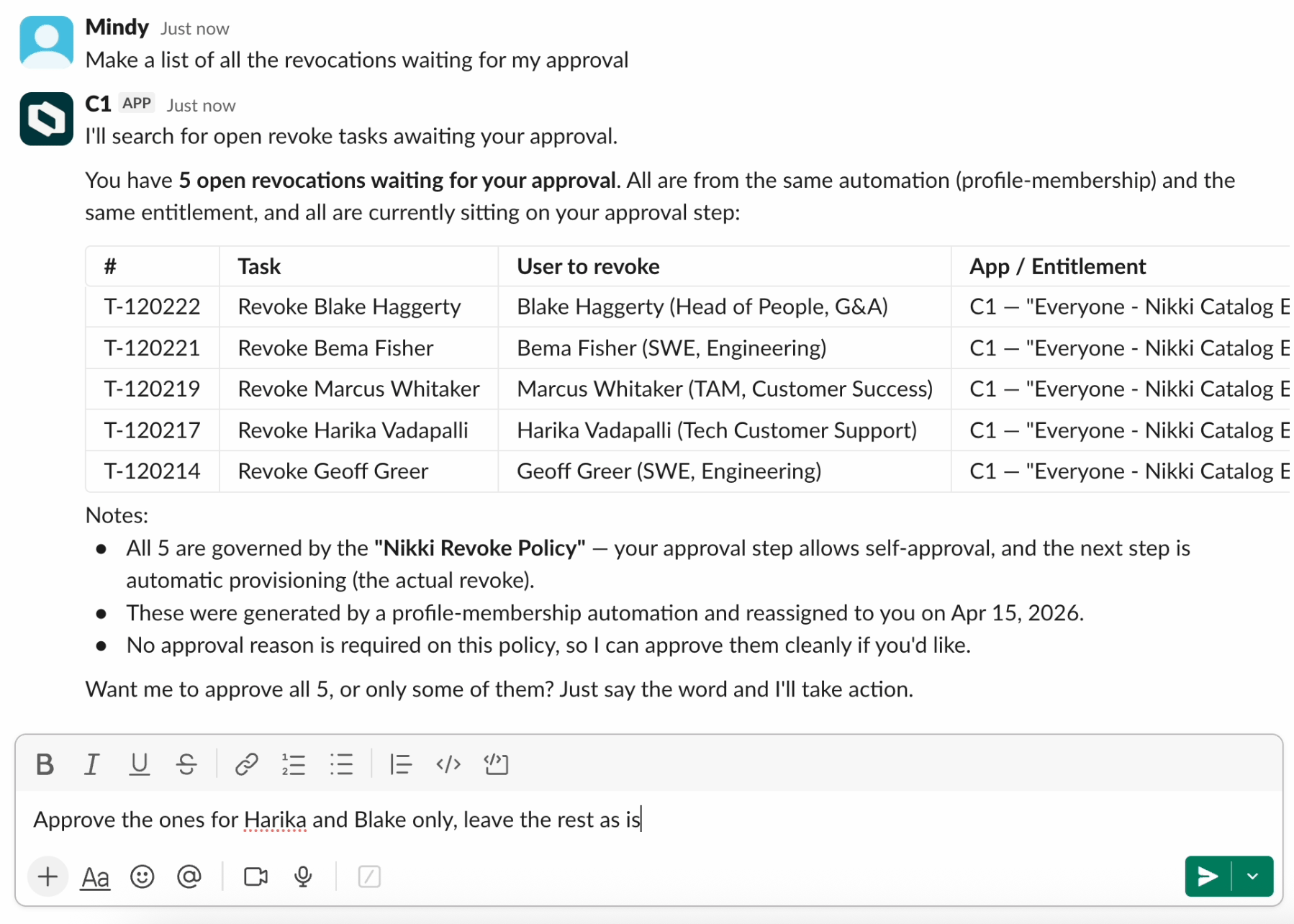
May 29, 2026
Expanded analytics dashboard
The Analytics dashboard now surfaces significantly more data about your environment, organized across six categories: Access, Reviews, Identity, Security, Operations, and AI & MCP. Navigate to Explore > Analytics to try it out.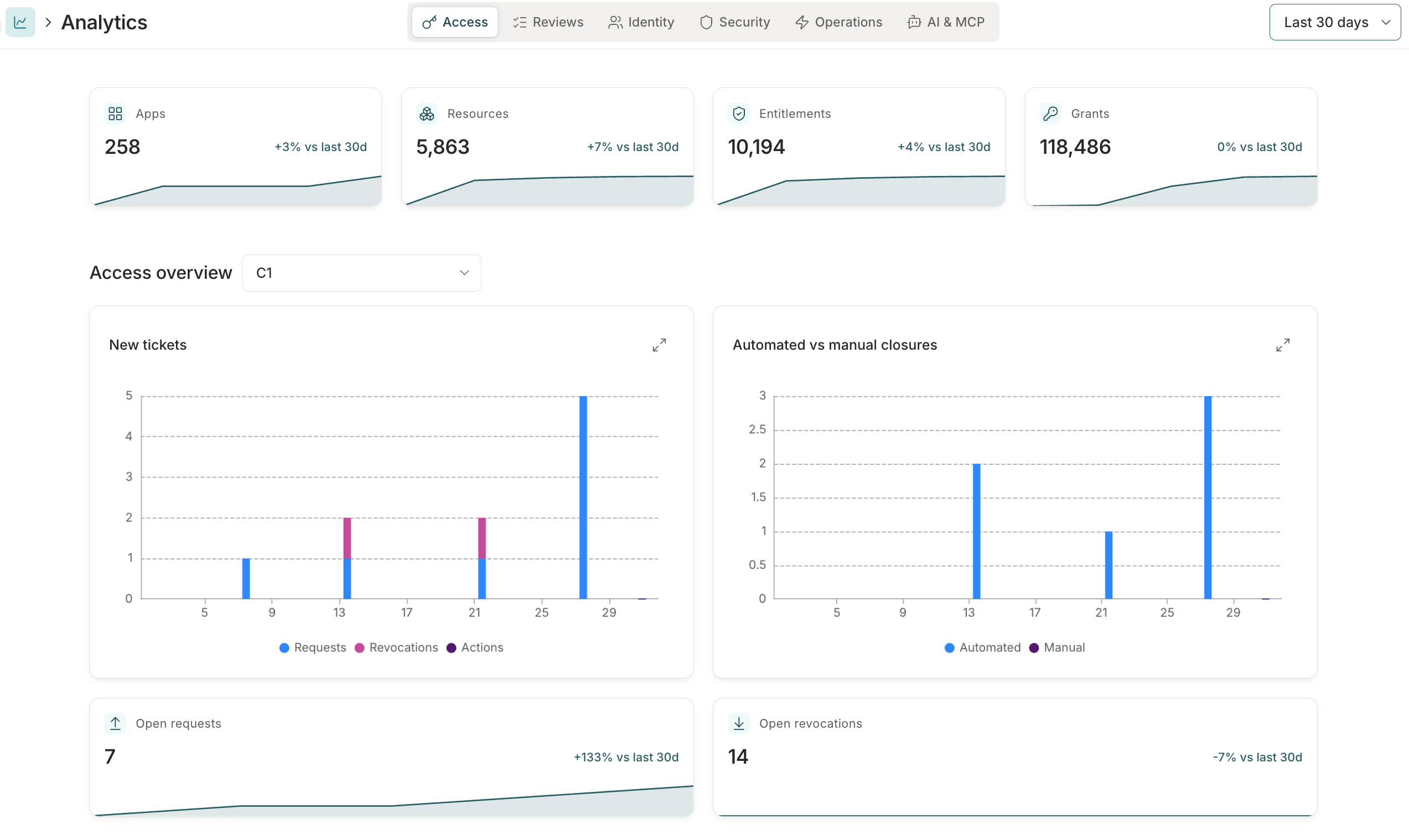
Assign a group (or any entitlement) as the owner of an app or entitlement
You can now use any entitlement to define app or entitlement ownership. When you add an entitlement (such as a group or a role) as an owner, everyone currently assigned that entitlement automatically becomes an owner, and ownership updates dynamically as users have that entitlement granted to or removed from their account.See Manage app owners and Manage entitlement owners for details.Access profile entitlements grouped by app
For clarity and better organization, the entitlements in an access profile are now grouped by app on the profile’s Apps tab. Click the pencil icon next to an app to adjust which of its entitlements are in the profile, or click Manage to add or remove apps from the profile entirely.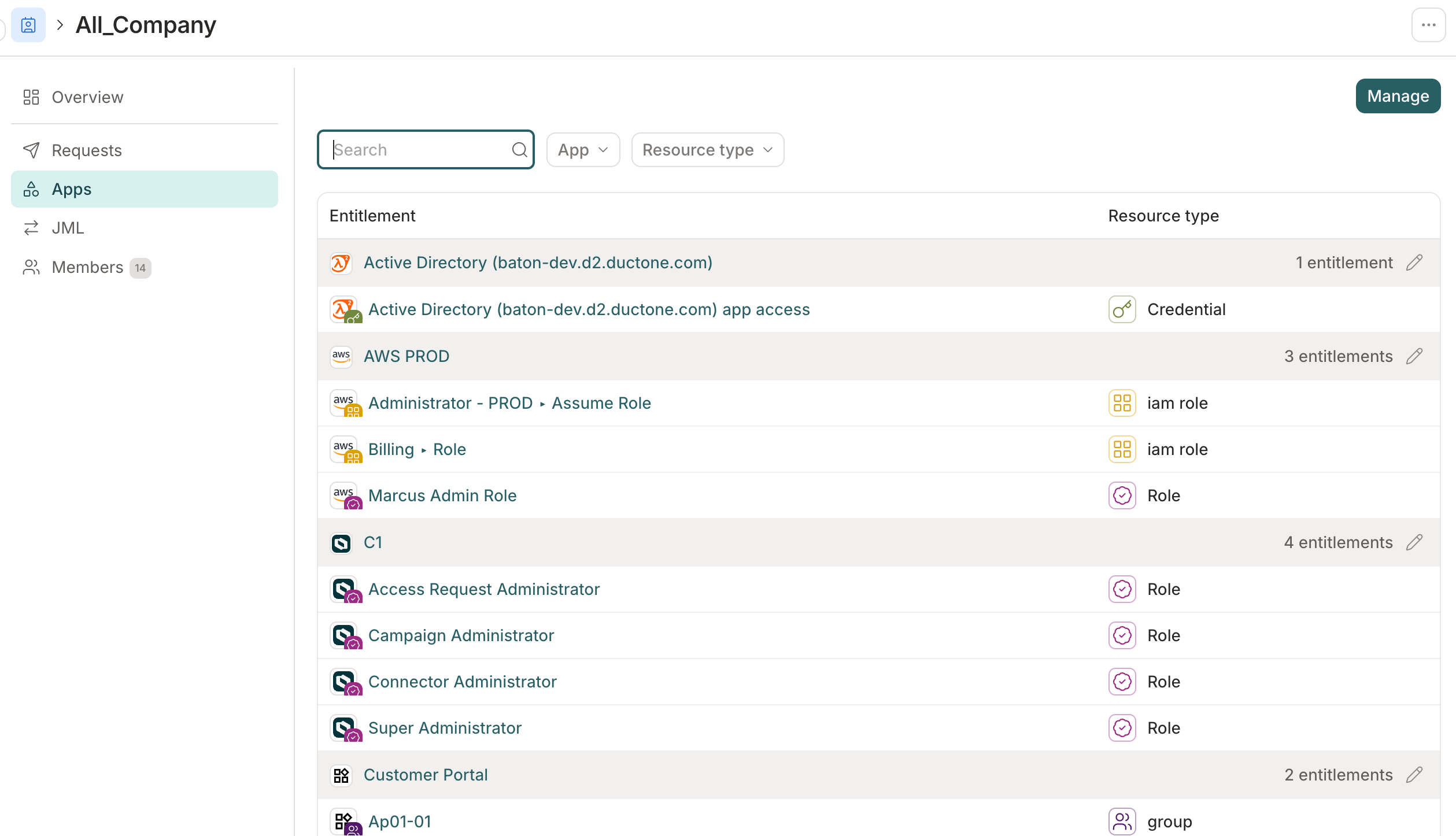
Reviewer attribute visibility on access reviews
Admins can now surface select app user profile attributes in an access review to give reviewers the context they need to make review decisions. Configure specific attribute keys per app in the campaign or template — for example, surface department and manager while keeping personal email hidden. Reviewers see no profile attributes by default; attributes are only shown in reviews when an admin has explicitly enabled them.AIAM improvements
- Shared or per-user credentials for HTTP basic auth: MCP servers using HTTP basic auth can now be configured in two modes: Shared (admin authorizes), where all users connect using a single set of admin-entered credentials, or Per-user (each user submits their own), where each user provides their own credentials so MCP requests run under their individual identity.
- Featured and popular MCP tools: The tools list on an app’s MCP server now opens to a curated view of Featured and Popular tools, organized by classification. A Visibility column also appears in every MCP tool table alongside Classification.
Usability improvements
- Centralized Forms page: The new Forms page lists every entitlement request form in your tenant in one place, so admins can browse and edit forms without opening each entitlement individually. See View and manage all forms for details.
- Recently visited items: The Governance left nav now shows a Recent list of campaigns, policies, and access profiles — pin any item to keep it at the top across sessions. The Directory and Workflows nav panels also show recently visited users, groups, automations, and functions.
- Access-only option in revocation automation steps: Revoke steps in automations now include an Access only option, which targets just the access entitlement on an app. In offboarding automations, this removes the user’s app account without generating downstream revoke tasks for entitlements that are automatically dropped when account access is removed.
- External ticket column in campaign reports: Campaign reports now include an optional External Ticket column for tenants with external ticketing enabled. Enable the column from the custom column picker when generating a report.
Terraform provider v1.4.0
Version 1.4.0 of the C1 Terraform provider is now available. This release addsannotations support to most writable resources — the provider automatically populates managed_by and iac_workspace annotations, and user-supplied values always take precedence.Breaking change: conductorone_access_profile.grant_policy_id is removed from both the resource and data source. Grant policy is now managed via AppEntitlement.grant_policy_id.See the Terraform provider’s documentation for details.May 15, 2026
AI access management
AI tools used by your team can now be governed through the same identity platform you use for application access. When AI access management (AIAM) is enabled, every tool call from an MCP-compatible AI client routes through C1’s identity-aware proxy, which authenticates the caller, enforces access policies, and logs the call with full identity context — closing a gap that most organizations currently have no visibility into.Admins register MCP servers from a catalog of 3,000+ integrations, review and approve individual tools, bundle approved tools into toolsets, and bind toolsets to access profiles with the standard C1 request and approval workflow. Downstream credentials are vaulted in C1 and never stored on end-user devices.AIAM requires activation. Contact C1 Support to enable it for your tenant.See AI access management overview to get started.Automation circuit breaker
Automations triggered by directory or connector sync events can fire at unexpectedly high volume during bulk imports or data quality issues. The circuit breaker lets you set a rate limit on any automation: if it runs more than a configured number of times within a set period, C1 pauses it and queues new trigger events for review rather than running them.See Automation circuit breaker for configuration details.Object annotations
You can now attach custom key/value metadata to policies, apps, app entitlements, app resources, access profiles, automations, and access review templates — through the C1 UI, API, or Terraform provider. Use annotations to track cost centers, compliance scope, ownership, or any other context your team needs.Objects managed by Terraform, OpenTofu, or Pulumi display a Managed by chip on their detail page, so anyone opening the object in the UI knows it’s IaC-managed before making changes. Editing an IaC-managed object in the C1 UI transfers ownership to C1.See Object annotations for details.Usability improvements
- Metrics cards now appear across the app, giving you a quick read on total item counts, 30-day trends, and recent activity volume without having to open individual records.
- Application Administrators can now manage MCP servers, tools, and access profiles for apps they own, without needing the Integration Administrator or Super Administrator role.
- The Managed applications list now includes a Sync status column showing connector health for each app. Select a status chip to see connector details or sync history; for apps with more than one connector, a side panel lets you drill into each.
- Access review task lists now support an optional Account username column. Enable it from the column picker on any review view, or set it as a default in a campaign’s column configuration.
May 8, 2026
Usability improvements
-
Policy step approver expressions can now use
c1.directory.apps.v1.GetEntitlementOwnersto route approval tasks to the owners of the entitlement being requested. Pass in theentitlementvariable or specify an explicit(app_id, entitlement_id)pair to get the list of entitlement owners — so approvals reach the right people without requiring app-wide ownership grants. - You’ll now find a Pause sync button at the top of each connector’s detail page. When you disable all resource types on a connector, C1 now prompts you to pause the connector instead of saving an empty configuration.
Fixes
- An inaccurate Unsaved changes message is no longer shown after changes in a workflow trigger or step configuration drawers are successfully saved.
May 1, 2026
AI connections
You can now connect AI assistants — including Claude Desktop, Claude Code, Codex, Cursor, and VS Code — to your C1 data using the Model Context Protocol (MCP). Connected assistants can query users, resources, entitlements, access reviews, and more. All queries are read-only and logged in the system log.A Super Admin must enable AI connections before users can connect. Optional IP restrictions let you limit which networks can use the feature.See C1 MCP for setup instructions.External insights with Wiz Insights
C1 can now sync security issues from Wiz and surface them in context across C1. Reviewers see identity-level security findings for user and service accounts directly on access review tasks, in the task log, and on access request approval tasks — without leaving C1.External insights are enabled automatically once the Wiz Insights connector is configured and syncing. No additional setup is required. To get started, see Set up a Wiz Insights connector and External insights.Usability improvements
- Reviewers can now switch to a By resource view when completing access review tasks. The resource view groups assigned tasks by resource, making it easier to make consistent decisions about access to a specific application or resource.
- Campaign reports now support custom column selection. When generating a report, choose between the default column set or a custom set that adds any combination of Employee ID, Job title, Department, Employment status, Employment type, and Manager.
- Users can now revoke their own membership in a time-bound access profile before it expires, as long as they have permission to request that profile. Previously, early revocation returned an error. To revoke, open the access profile and select Revoke access.
- The C1 Slack app now supports Enterprise Grid org-wide installs. When an org-wide app is installed, it handles messages and interactions from any workspace in the enterprise without needing separate workspace-level installations.
April 24, 2026
Early access: c1i
c1i is a new command-line interface for C1 designed for use by AI agents and automation tooling. It provides structured NDJSON output, built-in API documentation you can query without credentials, and automatic pagination — making it easy to integrate C1 data into scripts, pipelines, and agent workflows.c1i is available now at github.com/ConductorOne/c1i. See Install c1i for setup instructions. For a human-friendly CLI experience, see Cone.Schedule automation trigger
Automations now support a Schedule trigger that runs on a recurring schedule without targeting a specific user. Use it for periodic tasks like generating reports, triggering syncs, or running system maintenance workflows. The trigger can be configured to run hourly, daily, weekly, or monthly with timezone support.See Automation triggers reference for details.Azure Blob Storage as an external data source
Azure Blob Storage is now supported as an external data source. Admins can configure an Azure Blob container to push audit logs to offline storage or a SIEM, or to ingest application data from CSV uploads. See Set up an Azure Blob Storage data source.Usability improvements
- You can now set an application group’s visibility to Everyone, Members, or Owners to control who can see the group and its entitlements. See Resource visibility controls for details.
- The Send Slack message automation step can now send direct messages in addition to channel posts. Choose Direct message as the destination and specify recipients by selecting the subject user, entering specific usernames, or writing a CEL expression for dynamic targeting.
- The Automations page now includes an Executions tab with a combined log of all automation runs across your organization. Filter by automation, status, or app to find specific runs without opening each automation individually.
- The C1 Slack app has a new name and logo. Use @C1 instead of the now-retired @ConductorOne to mention or message the app in your workspace.
Fixes
- The Sync now button in the Membership automation section of an access profile now appears for newly configured automations, even before the first run has completed.
April 17, 2026
Password management automation steps
Three new automation steps are now available: Generate password, Set credential (early access), and Store credential. Use them together to generate a secure password, apply it to an account in a self-hosted application, and securely store it — then deliver it to the account holder’s manager via a one-time secret link.See the automation steps reference and the new account provisioning example.Custom merge matching for directories
Admins can now configure custom merge matching rules for each directory, to control how C1 links directory accounts to C1 users. Instead of the default email and employee ID matching, you can define an ordered list of rules that pair directory account fields with C1 user fields — choosing from primary email, all emails, username, display name, and employee ID. Rules support optional email normalization and custom CEL expressions for advanced cases.See Configure merge matching for details.Notification settings
Admins can now set organization-wide notification defaults and control whether users can override them. Configure the default digest frequency and notification types for your organization, then lock individual settings to enforce them across all users — or leave them unlocked so users can adjust to their own preferences.See Tenant notification settings and Your notification settings for details.Organization contacts
Admins can now set and manage organization contacts under Settings > Organization. The Contacts section supports three categories — Security, Billing, and Operations — each with up to 20 email addresses. Super Admins can edit all contact categories; other admins can view the configured lists.See Organization contacts for details.Usability improvements
- The access profile experience has been updated with a clearer layout, an overview tab, and streamlined editing for self-service, membership automation, and joiner and leaver (JML) settings.
- The Add connector page is now a card grid. Each connector appears as a card with its icon, name, and an Add button, along with a short description and a link to its documentation. Beta and v2 connectors are labeled with a badge.
- When using external ticket templates, a new Requested by field is available for including requester details — name, email, job title, and department — in ticket titles, descriptions, or custom fields.
- Entitlement names in Slack and Microsoft Teams notifications are now more consistent. When multiple entitlements exist on the same resource, notifications show both the resource name and the specific entitlement — for example, “Engineering Team — admin” rather than just “Engineering Team”.
-
App entitlements and resources now include an
external_idfield containing the native identifier from the connected application — for example, an Okta group ID or a Google Workspace role ID.
Fixes
- Entitlement descriptions are now correctly populated for CSV integrations that use role or group column mappings.
April 10, 2026
ConductorOne is now C1
We’ve always been C1 — now our name matches. You’ll notice a new logo, updated colors, and refreshed visuals across the product. Nothing about how C1 works has changed.Your tenant URL (tenant.conductor.one) stays the same, and there’s nothing you need to do. Read our announcement for the full story.Access review improvements
The reviewer experience has been redesigned for clarity and speed. Recommendations now appear as text labels — Approve, Deny, or Look closer — so you can scan your task list and make decisions without hovering over icons. User details open in a drawer rather than expanding inline, keeping your working view clean as you move through reviews. The AI review assistant is now a persistent button at the bottom-right of the page, always accessible without leaving your queue. And you can switch between views and hide completed tasks in the menu bar at the top of the screen.For campaign administrators, the campaign setup flow has been streamlined with clearer labels and a more focused path through the essential configuration, so you can scope and launch a campaign more quickly.See Create a campaign and Complete access review tasks for details.Security
- OAuth provider issuer URLs must now use HTTPS. Attempting to configure an OAuth provider with an HTTP issuer URL will return an error. This prevents accidental use of unencrypted endpoints.
- Policy evaluation failures in resource search operations now return an error instead of silently allowing access. This ensures that transient errors or misconfigured policies don’t inadvertently expose resources.
Fixes
- File downloads through the API now return properly normalized filenames in HTTP response headers, ensuring compatibility across clients and browsers.
April 3, 2026
Early access: Role mining
Role mining analyzes your organization’s access patterns and surfaces suggested access profiles based on what it finds. Instead of building access profiles by hand, you can let C1 identify which entitlements are commonly held by similar groups and turn those patterns into ready-to-use profiles with just a few clicks.C1 offers two ways to use role mining:- Suggestions: Recommended profiles surface automatically after each connector sync.
- Custom analysis: Define a specific cohort and analyze that group’s access patterns on demand.
Automation improvements
- The
appDisplayNamefield is now available in the trigger context for Grant found and Grant deleted automation triggers.
Use Cone with AWS SSO
Cone, the C1 CLI, now supports AWS IAM Identity Center (SSO). Runcone aws setup once to generate AWS CLI profiles for every permission set available to you in C1, then use your normal AWS CLI workflow — Cone handles access requests and credential fetching in the background. See Use Cone with AWS SSO for setup instructions.Resource visibility controls
Admins can now control the visibility of resources and their entitlements. Each resource has a new Visibility setting: Everyone (default), Members (users with an active grant, plus owners), or Owners (app, resource, and entitlement owners only). Restricted resources are hidden from users who don’t qualify, and Super Admins can always see everything. See Resource visibility controls for details.Usability improvements
- Confirmation messages and alert notifications now appear at the top center of the screen instead of the top right. This makes them more noticeable and less likely to be missed, especially for important alerts.
March 27, 2026
External insights with CrowdStrike Falcon Identity Protection
C1 can now sync identity risk scores from CrowdStrike Falcon Identity Protection and surface them in context across C1. Reviewers see an identity’s risk score and contributing risk factors directly on access review tasks, in the task log, and on access request approval tasks — without leaving C1.External insights are enabled automatically once the CrowdStrike connector is configured and syncing. No additional setup is required. To get started, visit External insights.Usability improvements
- Spotlight search results now include dedicated sections for groups and access profiles. Group and access profile results now link directly to their dedicated detail pages.
- The grants table for an entitlement now displays each account’s status (Enabled/Disabled) in a dedicated column. You can now also filter the table by account status to quickly find all disabled accounts with access to a resource.
- Each app’s Entitlements page now includes a Requestable filter. This makes it easier to find which entitlements can be requested by users, which is especially helpful for large applications with many entitlements.
- We improved the contrast of some tooltip and field helper text that was hard to read in dark mode.
Fixed!
- Clearing an expiration date field on a grant no longer causes an error.
- Uploading an avatar, app icon, or profile icon no longer fails if you save the image without cropping or resizing it.
March 20, 2026
We turned on the dark
C1 now supports dark mode! If your operating system is configured to prefer dark mode, C1 will automatically use the dark theme when you sign in.To switch themes manually, click your username in the lower left corner of the screen and use the theme switcher.Updated app, resource, and entitlement detail pages
We’ve refreshed the navigation and layout on app, resource, and entitlement detail pages to improve usability and scalability.- A new vertical sidebar replaces the horizontal tab navigation on application detail pages.
- Each app’s connectors and their related settings now live in a dedicated Connectors section of the sidebar, making them easier to find and manage.
- Resource and entitlement detail pages now use a cleaner single-column layout.
Usability improvements
- When requesting access for a custom duration, if the entitlement has a maximum duration configured the duration picker now enforces that limit.
- Advanced filtering options are now available when selecting entitlements on the request access form. Use the new Resource type filter to narrow down your entitlement choices.
- C1 now prevents you from requesting access to an access profile you’re already enrolled in, avoiding duplicate enrollment tasks and notifications.
- When scoping a campaign by user, you can now select up to 200 users (previously limited to 32).
- You can now customize which columns appear on the Connectors page, and reorder them to meet your needs. Your preferences are saved and persist across sessions.
- After you create a secret, the share code and share URL are displayed with copy-to-clipboard buttons, making it easier to share your secrets securely.
March 13, 2026
Early access: Review assistant
Our new review assistant is an AI agent that helps you complete your assigned access review tasks. The agent understands the context of your current campaign, so you can tell it what to do in plain language: approve or deny tasks for specific users, act on entitlements, follow recommendations, manage pending actions, or handle bulk operations across multiple reviews.Tell the agent what actions to take, preview the staged changes, and make any adjustments before submitting. This keeps you in control while moving through reviews more efficiently.Excited to try out the review assistant? Contact the C1 Support team to enable the feature for your tenant.Scope access review campaigns by risk level and compliance framework
When defining a campaign’s scope, a new By criteria option lets you target entitlements by risk level or compliance framework rather than selecting them individually.When used in a campaign template, the criteria are saved dynamically — each time you prepare a campaign from the template, C1 re-evaluates which entitlements match, so newly tagged entitlements are automatically included without any manual template updates.Usability improvements
- Access review reports now include a Last login column, showing when each user last accessed an application. This date appears in the exported campaign report, making it easier to identify inactive users during the review process.
- Reviewers using the task list view can now add a Last login column to their task list by using the Configure columns selector. Color-coded indicators provide quick insight into how recently an application was accessed.
- The Reviews by app card on each campaign’s dashboard now displays the number of approvals and denials, the approval rate, percent complete, and completion totals for each app under review. Click View all on the card to access a downloadable CSV report with this data for all apps in the campaign.
- The Access profiles page now includes an Automation column that shows whether a membership automation is enabled for each profile.
-
The 2025 year in review banner has been removed from your Home page. You can still access your 2025 year in review report by navigating to
<your_domain>.conductor.one/admin/yearly-review/2025.
March 6, 2026
Status page update
We’re migrating our status page to a new platform. The cutover is planned for Monday, March 9.Here’s what you need to know:- The URL (status.conductorone.com) is not changing.
- Existing email subscribers will receive a confirmation email to re-approve their subscription. Please keep an eye out for it so you continue receiving notifications.
- If you’re not subscribed yet, sign up at status.conductorone.com to receive incident and maintenance updates.
- If you have custom integrations (API, webhooks, RSS) against the status page, you might need to update them. Reach out to the support team if you need help or have any questions.
Access conflict UAR campaigns
Access review campaigns can now be scoped by access conflicts. When creating a campaign, select the Review access conflicts scope type to scope the review to users with active separation of duties violations detected by your conflict monitors. This makes it easier to run targeted reviews specifically for SoD policy violations without manually identifying affected users. Find more information in the Create a campaign documentation.Usability improvements
- The Connectors page now has filtering options. Filter by type (Baton, Cloud, or File) to show or hide self-hosted, cloud-hosted, or file/CSV connectors. Filter by owner to find all connectors managed by a specific user.
- A new Delegate column on the Users page shows the user’s delegate, if one is set. Use the Has delegate filter to quickly find all users with delegation configured.
- An orange notification dot now appears next to Downloads in the sidebar when new downloads are ready.
February 27, 2026
Secret sharing
You can securely share credentials, files, API keys, and other sensitive content with teammates or external contacts from C1. Content is encrypted in your browser before upload, so C1 never sees your plaintext. Recipients authenticate via SSO (internal) or a one-time magic link (external),and you control how long a secret stays available as well as how many times it can be viewed. Administrators can view metadata and audit logs for all secrets across the tenant.To learn more, visit Secret sharing.Usability improvements
- The downloadable report of a user’s application access now includes two new columns: Entitlement description, which displays the description of the entitlement (typically imported from Active Directory), and Entitlement owners, which shows the names of the entitlement owners corresponding to the “ManagedBy” field in Active Directory.
February 20, 2026
Early access: Service principals
Service principals are machine identities for non-human actors (such as scripts, CI/CD pipelines, Terraform runs, and API integrations) that are fully separate from any human user account. Assigning C1 roles to a service principal instead of a human account means automated processes have only the access they need, and that access is auditable, ownable, and revocable. Learn more in the Service principals documentation.Service principals support two authentication methods:- Client credentials — a client ID and secret for scripts, local development, and environments where storing a secret is acceptable (up to 180-day credential lifetime).
- Workload federation — secretless authentication using your CI/CD platform’s built-in OIDC tokens, so there are no secrets to store or rotate. Supported platforms include GitHub Actions, GitLab CI, HCP Terraform, and any custom OIDC provider.
Early access: Functions
Functions are serverless TypeScript functions that let you extend C1’s identity governance capabilities with your own logic — without managing infrastructure. Use them to call external APIs, implement organization-specific workflows, and automate tasks that go beyond built-in features.Functions can run as steps in automations (triggered by user lifecycle events, access events, review events, or schedules) or be invoked manually from the web UI. Each function runs in an isolated sandbox with a network allowlist, secrets management, and execution logging. Learn more in Extend with custom code.Excited to give functions a try? Contact the C1 Support team to enable the feature for your tenant.Usability improvements
- While a campaign is in the Draft state, clicking the eye icon on a data source on the Accuracy tab now shows connector-specific details: cloud connectors open the sync history drawer, while file connectors open the file summary.
- We’ve reorganized the categories within the Settings navigation menu so related pages are easier to find.
Fixed!
- After you submit a bulk batch of decisions on access reviews, the Certified or Denied status is correctly shown on the impacted tasks.
February 13, 2026
Usability improvements
- Users can now send reminders for their own outstanding approval tasks. If you’re waiting on an approver to review your grant or revoke request, you can send a reminder directly from the My request page or the task’s details page to help expedite the process.
- Campaign administrators can now save custom column configurations on the campaign’s Tasks tab. Your preferred column layouts persist across sessions, making it faster to review large campaigns with the information you need most.
- Bulk certify and deny actions now correctly enforce justification requirements. If the policy governing one or more of the tasks you’re taking bulk action on requires a reason for approvals or denials, you’ll be prompted to provide a justification, ensuring compliance with your organization’s audit requirements.
-
You can now look up users by their display name in policy expressions using the new
c1.directory.users.v1.FindByName(string)function. This is useful when user identifiers are stored as display names in custom fields. -
Policy expressions can now reference
task.created_atto evaluate when a task was created. Use this to build time-based routing rules, such as sending after-hours requests to a different review flow.
February 6, 2026
Usability improvements
- To speed up the creation of new C1 groups, you can now click Duplicate on any existing group to create a new group pre-filled with the original’s name, description, and automation rules, then make your adjustments from there.
- You can now attach a custom request form to an application’s entitlement configuration rule. The form automatically applies to all entitlements governed by that rule, making it faster to configure request requirements across large sets of entitlements.
-
We’ve added the ability to evaluate entitlement risk levels in CEL policy expressions by using
entitlement.risk_level_value_id. For example, useentitlement.risk_level_value_id == "low"to build policies that apply different approval workflows based on an entitlement’s risk classification. - You can now export lists of an application’s entitlements and resources as CSV files from their respective tabs on the application’s page. The exports include unique resource and entitlement IDs, making it easier to analyze your access data or use it in external tools.
- An application’s grant feed CSV export now includes a TaskID column showing the associated task ID for each grant added or removed in C1. This provides parity with the information shown in the Grant feed drawer and simplifies audit workflows.
- The Task log page now includes a Task age column showing how long each task has been open, so you can quickly identify tasks that may need attention. Hover over the age to see the exact creation timestamp.
- The Temporary tab on the Requests page now includes an Originating request column with a clickable link to the original access request task. This provides quick access to the context for why the temporary access was granted.
- Task insight information has moved from the main task Details tab to a dedicated Insights tab, decluttering the primary view.
- Spotlight search, which you’ll find at the top of the navigation panel or by pressing Command+K is now faster and more comprehensive.
Fixed!
- We fixed an issue with the Spotlight search overlay, which sometimes prevented clicks on the page after an item was selected.
- When editing policy rules, the Require distinct approvers checkbox setting is now preserved when the Assign this task to selection is changed.
- Campaign scope filters for risk level and compliance frameworks now correctly filter specific entitlements rather than returning all entitlements for a resource.
- The campaign completion banner is no longer shown when the user has not yet completed any tasks but has no active tasks assigned.
January 30, 2026
Navigation improvements
We’ve redesigned the navigation with a unified left sidebar that consolidates end user and admin functions, adds hover-to-reveal menus and pinnable apps, and features a cleaner, more intuitive design that makes it easier to find and access the tools you need.Automation and policy agents
We’re launching two new AI-powered agents designed specifically to help you build automations and policies faster and more accurately:- The Automation architect is a purpose-built agent for creating automations in C1. Describe the workflow you want, and the agent generates the complete automation with triggers and actions, making it faster to set up complex workflows. You’ll find this agent on the Automations page.
- The Policy architect helps you build access policies by translating your high-level requirements into detailed CEL expressions. Simply describe the access control rules you need, and the agent generates the corresponding policy conditions. You’ll find this agent on the Policies page when creating or editing a policy.
Step-up authentication
You can now require step-up authentication for approval workflows involving sensitive access. When enabled, approvers must re-authenticate using multi-factor authentication (MFA) before approving high-risk requests. This additional security measure ensures that critical approvals are protected by fresh authentication challenges at the moment of approval, not just initial session credentials. Check out Configure step-up authentication to learn more.Campaign improvements
- Campaigns can now be configured to start and end automatically, eliminating the need for manual intervention. When a campaign is set to auto-start, we’ll review data accuracy before launch and notify campaign admins of any issues. You can choose whether campaigns should proceed automatically or wait for manual review when data issues are detected. Further details for how to set auto-start and auto-end on campaigns and templates can be found in Create an access review campaign.
- The email address for each user’s manager is now included in the campaign tasks report.
Usability improvements
- You can now display your organization’s name and logo in the C1 interface. Navigate to Settings > Branding to upload your logo and set a display name.
-
You can now write policy conditions that check account types using
AppUserType.SERVICE_ACCOUNT,AppUserType.SYSTEM_ACCOUNT, andAppUserType.USER, making it possible to create policies that apply differently to service accounts, system accounts, and human users. - The CSV report of users, which can be downloaded from the Users page, now includes a User ID column, indicating the source of each user’s identity data.
- The CSV report of tasks, which can be downloaded from the Task log page, now includes separate columns for each tasks’ Status and StateTimestamp (noting the time when the task’s final action was completed) instead of a combined column. This report also now includes a Request Reason column populated with the reason the user provided when submitting the request.
- When reassigning a ticket, you can now select Reassigned due to approver unresponsive as a quick response option.
- Task statuses now more accurately report specific policy wait conditions. For example, you’ll see “Waiting until scheduled time” or “Waiting for duration” instead of the generic “Awaiting assignee”.
- App descriptions (which you can edit on each app’s details page) are now shown on the New request form to help users quickly identify which application they need.
- Your personal API credentials table now includes a Scope column showing each key’s permissions (Full Permissions or specific roles).
Fixed!
- The Last submitted on icon is now correctly shown once you’ve submitted reviews in a campaign.
January 23, 2026
Requestable automations
Safely expose powerful automations to end users without granting standing admin access. The new requestable automations feature lets you convert backend workflows into governed, on-demand services that users can request from the Actions tab in their access catalog.Configure automations to collect required information via custom forms, apply policy-driven approval gates, and execute steps with full audit trails. Common use cases include just-in-time infrastructure provisioning, scoped admin tasks, and operational workflows like hardware requests or environment management.Visit Configure requestable automations to learn more and get started.Batch submit access reviews
You’ll now submit multiple access review decisions at once, improving efficiency while maintaining a clean audit trail. Here’s how this change will impact your review workflows:- For reviewers: As reviewers make decisions, they’re now held in a pending state, allowing reviewers to work through complex campaigns at their own pace and perform a final review of their decisions before they’re recorded permanently. When ready, reviewers click Submit to finalize all pending decisions in a single batch. Full details can be found in the end-user How to review access doc.
- For campaign admins: Campaign administrators can track all review submissions on the campaign’s new Submissions tab, which provides a complete log of when reviews were submitted, by whom, and the breakdown of certifications versus denials. Export submission data as a CSV for audit purposes or to analyze reviewer activity patterns.
Access operations dashboard enhancements
- You can now export key access operations dashboard metrics as CSV files for further analysis. Download data for apps with the most new requests, revocations, and user accounts. Additionally, you can now export a list of open extension requests for all expiring grants and grants expiring within a specified timeframe.
- The new Response time by user table shows p50, p90, and p99 response times for each user. All columns are sortable to help you quickly identify bottlenecks in your review processes.
Usability improvements
- Hover over a connector’s name in the page header on the connector details page to reveal a tooltip containing the Connector ID and Catalog ID (if applicable), along with a copy-to-clipboard option.
- Extension tasks now have a dedicated icon to make them easier to identify in task lists.
- The Revoke button is now hidden for grants that are inherited through group memberships. This prevents users from attempting to directly revoke access that must be managed at the group level.
January 16, 2026
Extension grant task improvements
When an extension grant task is canceled because the associated app user was deleted (this often occurs because the access times out and the account is automatically deprovisioned), a new request task will now be automatically created. The new task includes a comment linking back to the original canceled request, and the audit log shows the origin of the task and includes a link to the original.CEL improvements
-
Policy conditions can now leverage
task.subjectUserIdandtask.requestorUserIdin CEL expressions. This enables more granular policy configurations, such as automatically confirming tasks where the requestor is the subject (such as a user revoking their own access). - You can now see which CEL-based attribute mappings run into errors. Look for the orange triangle indicator on the Attribute manager page, and click View errors to see what went wrong. No more guessing why a user’s profile field is empty!
- The CEL editor has been redesigned for clarity and ease of use. Improved layout, highlighting, and validation make it easier to write, understand, and troubleshoot automation logic.
Usability improvements
- You can now assign a group as the fallback on any policy step that allows fallback reviewers. This provides additional flexibility in ensuring tasks are always assigned to an available reviewer.
- To streamline the information architecture of the app, we’ve relocated the Security dashboard to the Analytics section.
- Users with the Access Request Helpdesk role can now revoke grants, expanding their ability to manage access requests on behalf of users.
- When scoping a campaign, you’ll now find that lists of apps are now alphabetized, making it easier to scan and select the applications, groups, or resources you want to include. This small change should make large campaigns faster to configure and review.
Fixed!
- We resolved an issue where provisioning instructions were not correctly passed to external Jira tickets when multi-step provisioning was configured for an entitlement. Instructions will now appear as expected in the Jira ticket description.
January 9, 2026
Accessibility improvements
We’ve made significant accessibility improvements to end-user pages in C1. These pages now meet WCAG 2.0 Level AA standards, ensuring a more inclusive experience for all users.Key improvements include:- Keyboard navigation - All interactive elements are now fully keyboard accessible, making it easier for users who prefer or require keyboard navigation
- Enhanced focus and hover states - Clear visual indicators help users track their position and interactions on the page
- Screen reader compatibility - Proper labels and semantic markup ensure compatibility with screen readers and other assistive technologies
- Improved contrast ratios - All text and interactive elements now meet WCAG AA contrast requirements for better readability
Access operations dashboard
On the new Access operations tab on the Analytics page, you can:- See how many access grants are expiring in the next 24 hours and 7 days
- Track open extension requests
- Understand outcomes for expiring access over time, including whether grants expired or were extended
- Compare your permanent vs. expiring grants to get a clearer sense of long‑lived access in your environment
- Monitor review response times (p50, p90, p99), filterable by task type and user, so you can spot bottlenecks and slow approval paths
Usability improvements
- You can now configure a policy to skip a step or cancel the task when an approval step SLA is violated, giving you more control over how your access request workflows handle time-sensitive approvals.
- Filters now return up to 50 items (increased from 25) when scoping a campaign, making it easier to find and select the resources you need.
- The unstructured user access reviews view now spans the full width of the page, providing more space to see details and make informed decisions.
January 2, 2026
Microsoft Teams app live on Microsoft Marketplace
The C1 integration for Microsoft Teams is now live on Microsoft Marketplace, making it easier to discover, install, and deploy C1 directly within your Microsoft ecosystem. Ready to bring C1 into your Teams workspace? Check out our docs on the MS Teams integration to get started.Usability updates
-
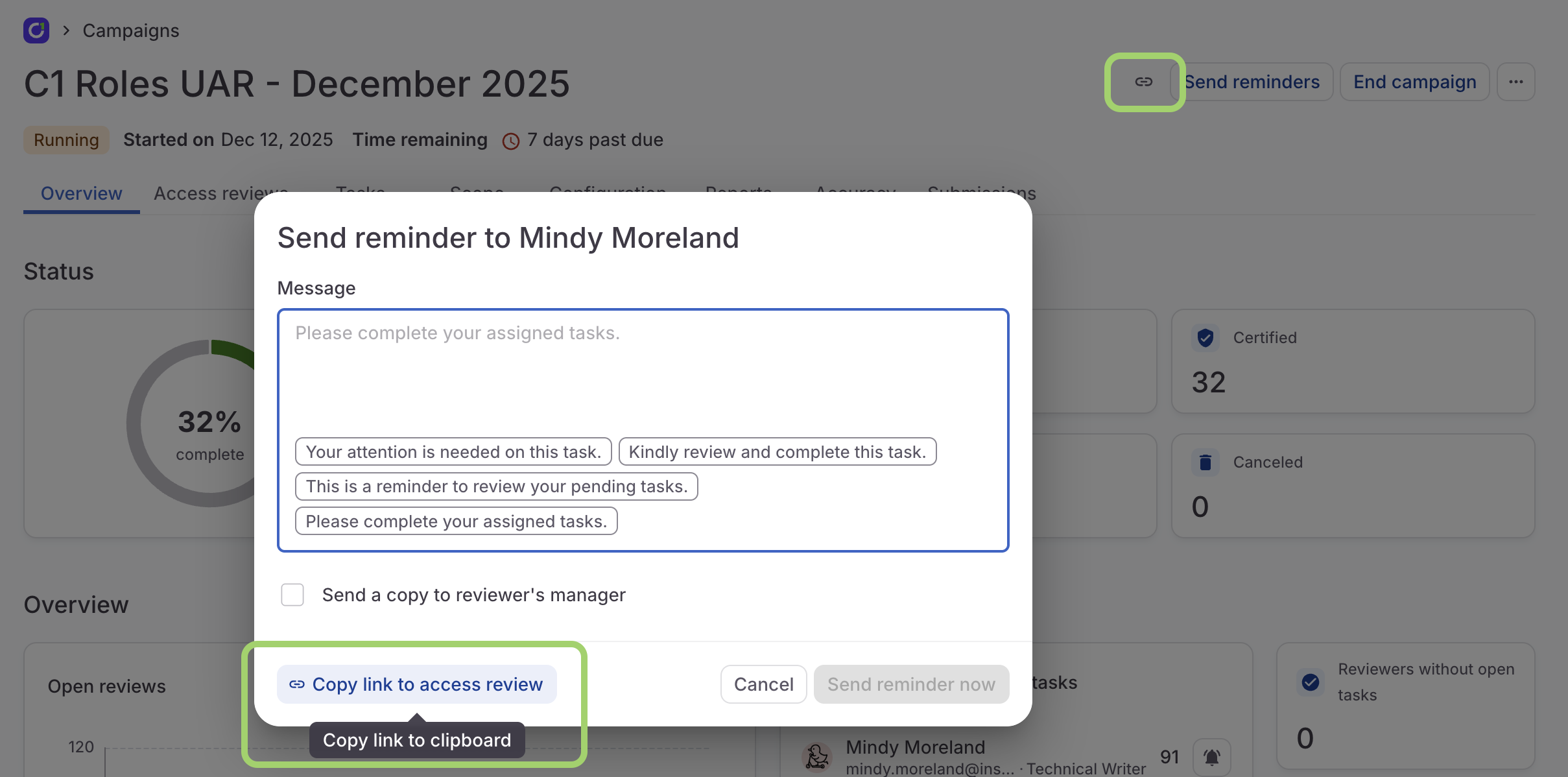
We’ve added one-click links to the end-user view of a campaign on the campaign’s admin page, both in the header and the send reminder modal. Quickly capture and share these links to let users know exactly where to go to complete their reviews.
- You can now configure the columns shown on the Assigned to me and My requests tabs of the Requests page.
- You now have the option to include a Resolved on column when customizing columns on the Requests and Task log pages, as well as when completing access reviews using the Unstructured view.
Fixed!
- We’ve improved the handling of tasks when a delegated user is assigned but cannot complete a task that they are the subject of because self-approval is not allowed by the task’s governing policy.
December 19, 2025
Usability updates
- Building precise access policies just got simpler. Directory status is now a built-in option when selecting a profile attribute within the basic condition builder. This allows you to create and parse CEL conditions based on a user’s status without having to write the expressions manually.
- You can now use
{{ .Resource.Name }}to reference the display names of resources when setting up custom templates for an external ticketing provider. - We’ve updated Slack notifications for expiring access to include the entitlement description directly below the entitlement name. This small change provides much-needed context, helping users quickly identify exactly what access is about to lapse without having to leave Slack.
- You now have the option to set entitlement description and task number as columns when reviewing tasks in the By app or By user views. Entitlement descriptions are also now included in the review’s details.
Fixed!
- We updated a log message that was giving the impression that an action had been completed to more accurately state that the actions has started.
December 12, 2025
Campaign dashboards
We’ve supercharged the campaign dashboard to give you more powerful insights on your campaign’s progress, with granular data on reviewers, open reviews, and decisions.- Reviewer performance: Track reviewer decision rates and average review time. See who’s holding up the queue and remind them to finish their reviews.
- Progress by app: Gain clarity by precisely tracking review completion status broken down by application.
- Workflow visualization: A campaign burndown chart lets you visualize the campaign’s remaining open reviews over time.
Usability improvements
-
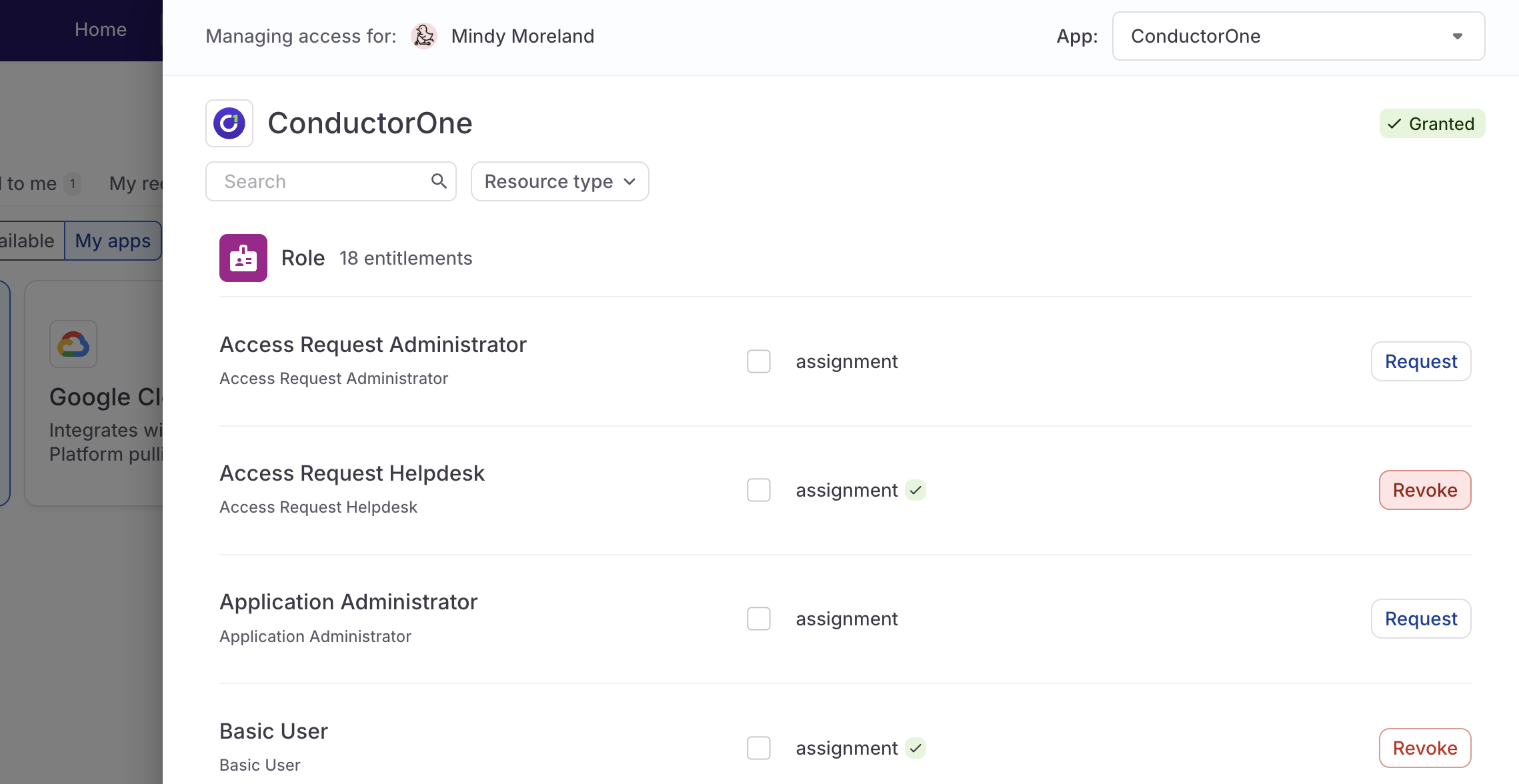
You can now revoke access for yourself or your direct reports from the App catalog and Profile tabs of the Requests page. Click Revoke next to a granted entitlement, or revoke entitlements in bulk by selecting the relevant checkboxes and using the bulk actions control at the bottom of the screen.
- We’ve added a new control on the Notifications page that lets admins disable all email notifications for their C1 tenant, including digest emails.
- Good news, Microsoft Teams users: you can now use the C1 app for Teams to create new access requests. Check out Request using the Microsoft Teams app for details.
-
The
cone getcommand now supports custom form fields for entitlements, allowing you to provide required data either interactively or non-interactively via the--form-dataflag. For details, check out Custom forms in theconedocs.
December 5, 2025
Customize user avatars
C1 now supports custom user avatars! To change your own user avatar, open your profile menu in the upper right corner of the screen, click your name, then click the edit icon on your current avatar image.Not content just updating your own avatar? On on the user details pages, managers can also upload avatars for their direct reports, and Super Admins can upload avatars for any user.New bulk actions
- You can now set attribute values in bulk on an application’s Entitlements tab by selecting the Set attributes option from the bulk actions menu.
- You can also set or update account owners in bulk on an application’s Accounts tab by selecting Set account owner from the bulk actions menu.
Usability improvements
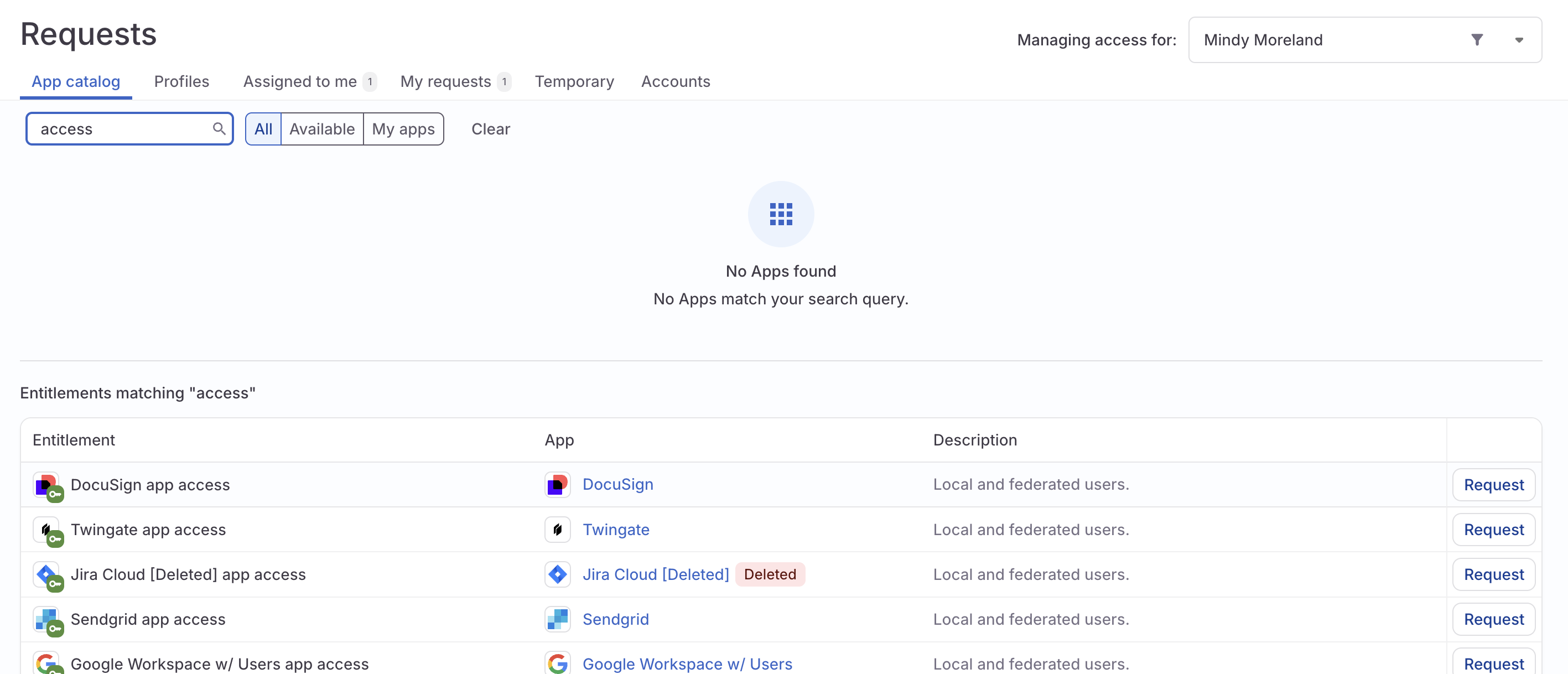
- On the Requests page, users can now efficiently search for entitlements across all applications by using the dedicated search filter on the App catalog tab.
- If enrollment in an access profile should not be granted indefinitely, you can now set a Max enrollment duration on the access profile.
- When creating a custom request form, you now have the option to hide the default Justification field.
- A new Display to user setting on profile types allows you to choose whether a profile is shown on users’ details pages.
- On a campaign’s Tasks tab, click the Generate CSV icon to create and download a report containing all tasks included in the campaign.
- On the Analytics page, click any app name in the Access management overview section to see details on the requests, revocations, or accounts for that app within the selected time period. Click the Generate CSV icon to create and download a report of this data.
- To make it easier for users to understand exactly what they’re reviewing in a campaign, the by-user reviews view now shows the exact entitlement under review instead of the parent resource.
- We’ve consolidated entitlement provisioning and deprovisioning settings into a single new Access management section on an entitlement’s details page.
- When clicking to the next or previous page of a table, the view now automatically scrolls to the top, improving the navigation experience.
Platform updates
- You can now create campaigns and campaign templates using Terraform.
Fixed!
- We resolved an issue that was impacting the accuracy of grant counts on the C1 app.
- The data preview shown when adding user profile attributes now accurately accounts for all mapping sources and profile types, ensuring you can reliably test your mappings before deployment.
- When completing reviews using the unstructured view, the All filter now correctly displays all tasks, including both completed and incomplete items, providing a comprehensive view of review progress.
- When mapping file attributes, your selected custom attribute value no longer vanishes when a mapping is selected.
- If a task is reassigned, its governing policy’s settings, such as requiring justification, are enforced correctly.
- Tasks and follow-up information requests are now correctly created for multi-entitlement requests where some entitlements in the batch have a required form and others do not.
- You can now successfully upload Python-generated .xlsx files.
November 21, 2025
Customize your columns and filters
A highly requested feature is here! You can now customize and rearrange the columns displayed on the Task log page and when completing access reviews using the Unstructured view. To create your personalized table, click the column icon in the upper-left corner of the table, select the columns you want to see on the page, and drag them into the order you prefer. C1 will save your customizations even when you refresh the page or navigate away.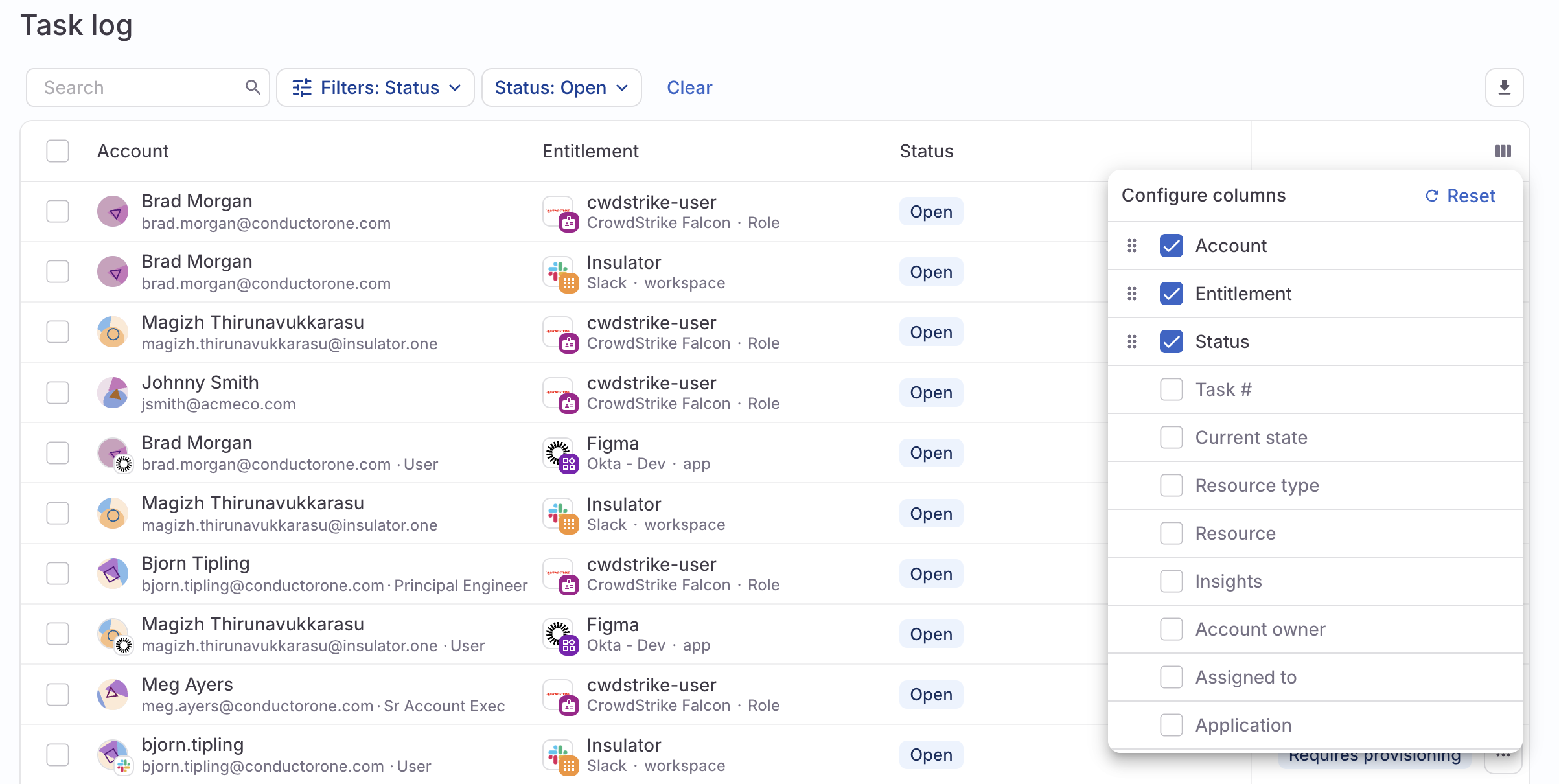
Usability improvements
- We’ve added a new query to the Access explorer page: Active external accounts. This list can be downloaded as a CSV for easy sharing and analysis.
- You can now create fine-grained revoke entitlement steps in your automations. Use criteria such as the entitlement risk level or compliance framework to zero in on which entitlements to revoke or to exclude from revocation.
- The task report you can generate and download on the Task log page now includes details on who approved each task and the approver’s email address, making it easier to track and audit approval workflows.
- When creating attribute mappings in the new directory UI, you can use a mix of direct mappings and CEL expressions for each source. This allows you to set up complex fallback logic, which is especially useful for attributes that accept multiple values, such as Additional Usernames.
- You can now configure the deprovisioning process to be used for an entitlement on the entitlement’s details page, providing more granular control over resource clean-up.
- The Microsoft Teams app now sends notifications to the relevant admins when a connector experiences a sync error or detects an anomaly in the synced data.
- You’ll find a new Access management overview section on the Analytics page, which show the apps with the most new requests, new revocations, and total user accounts for the selected time period.
Fixed!
- Custom user profile attribute mappings are now preserved when you upload a new file to replace an existing one in a file connector.
- We fixed a bug in the App catalog that prevented you from deselecting any entitlements once 10 had been selected.
- If a bulk action requires a reason or comment, the comment field will not be hidden by default.
November 14, 2025
Introducing Super Directory
We’ve launched a powerful update to C1 user management, separating account creation from attribute management. Designate a single source of truth for users and effortlessly pull additional user data from any connected app. View the docs on connecting a directory and mapping user data for details.Plus, meet profile types. This new feature lets you easily segment your diverse workforce (like employees versus contractors) to ensure administrators only see the exact user data they need, simplifying management and boosting efficiency. To learn more and get started, visit the profile types documentation.Microsoft Teams integration
With the new C1 app for Microsoft Teams, you can interact directly with C1 without leaving Teams to manage access requests, receive notifications for new approval tasks, and approve or deny requests directly from the Teams interface. This integration also allows users to track the progress of their open access requests and get immediate updates.Usability improvements
- The updated access reviews experience we announced a few weeks ago is now live for all C1 customers. We’ve also added the toggle that lets you move between all assigned reviews and those still awaiting a decision to the unstructured reviews view.
- On the Analytics page, you’ll now find cards tracking the average completion time for request, revocation, and review tasks. Additionally, we’ve introduced a new Identities section, which displays new and total accounts broken down by user or service type. (Please note that data in this section from before November 1, 2025 might not be accurate.)
- Accounts that are not associated with an email address from a trusted domain are now labeled External across C1, and indicated on each entitlement’s Grants tab with a globe icon.
- We’ve added a dropdown data type to custom forms, allowing administrators to define selectable options for users.
- To improve security, users with the Campaign Admin role can now only see and modify campaign that they also own.
Platform updates
- You can now manage vaults using the C1 API and Terraform provider.
Fixed!
- We repaired an issue that was preventing users with the Read-Only Admin user role from viewing all campaigns.
- You can successfully reference attribute names that contain spaces when creating a profile type membership automation.
- Prior search results are cleared properly when you move on to a new screen when building a campaign.
October 31, 2025
Early access: Analytics
We’re excited to bring you an early access launch of a much-requested feature, which will help you see at a glance how access is changing over time in your organization. On the new Analytics page, you’ll find customizable graphs and high-level metrics about the requests, revocations, and reviews flowing through C1 in the past day, week, or month.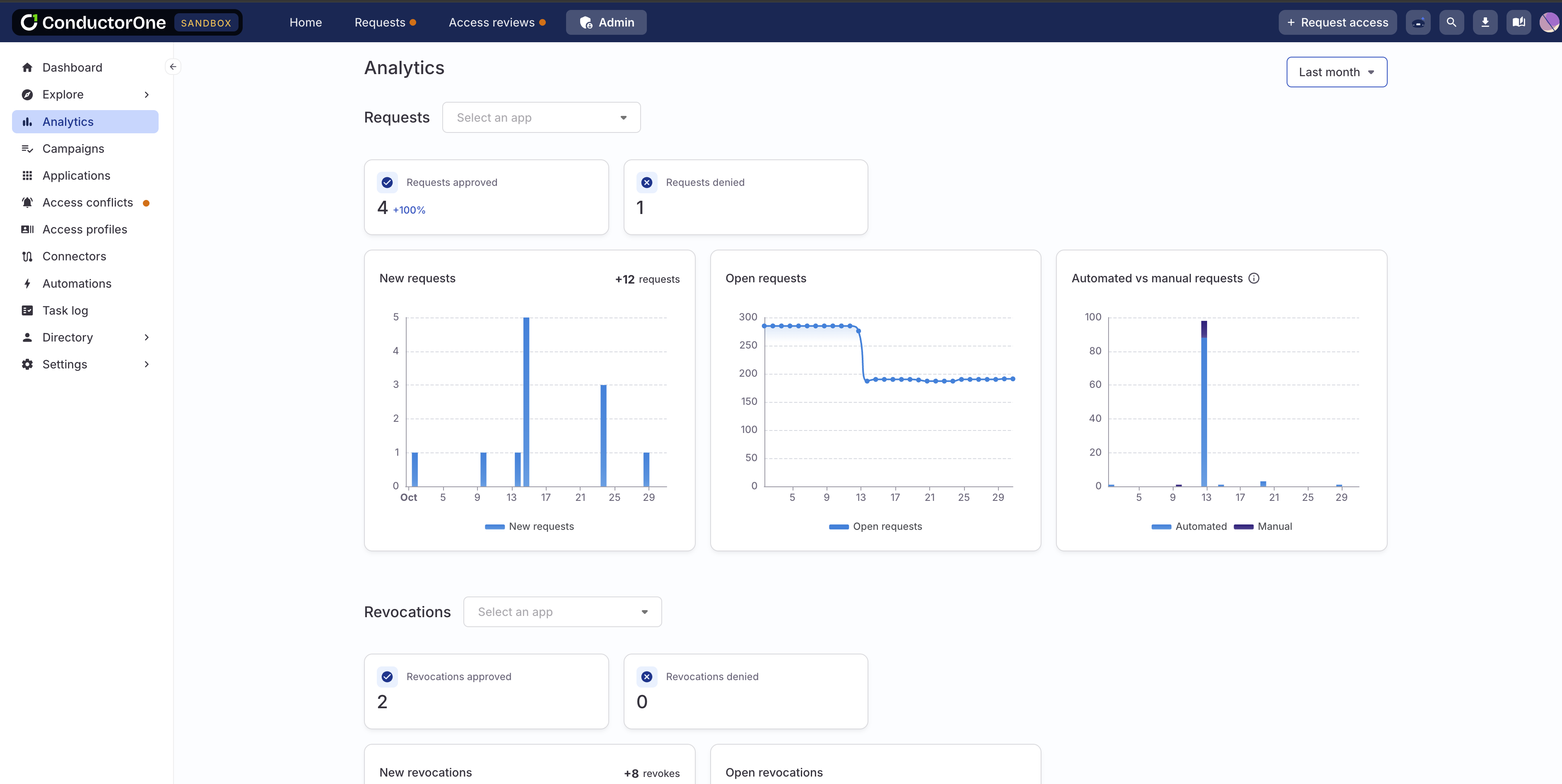
Usability updates
- You can now require that a different user approves each step in request and review policies. Enable Require distinct approvers on a step to prevent users who approved previous steps from approving the current one. For full details, visit the docs on Policies.
- Need a report of all the access granted to a certain application account? You can now create and download one by navigating to Requests > Accounts > View access and clicking the Generate CSV button.
October 24, 2025
Updated access reviews experience
We’re rolling out an updated experience for completing access reviews by app. The new design lets users toggle between all assigned reviews and those still awaiting a decision. We’ve also streamlined the page design to use space more effectively and make it easier to quickly complete your assigned reviews.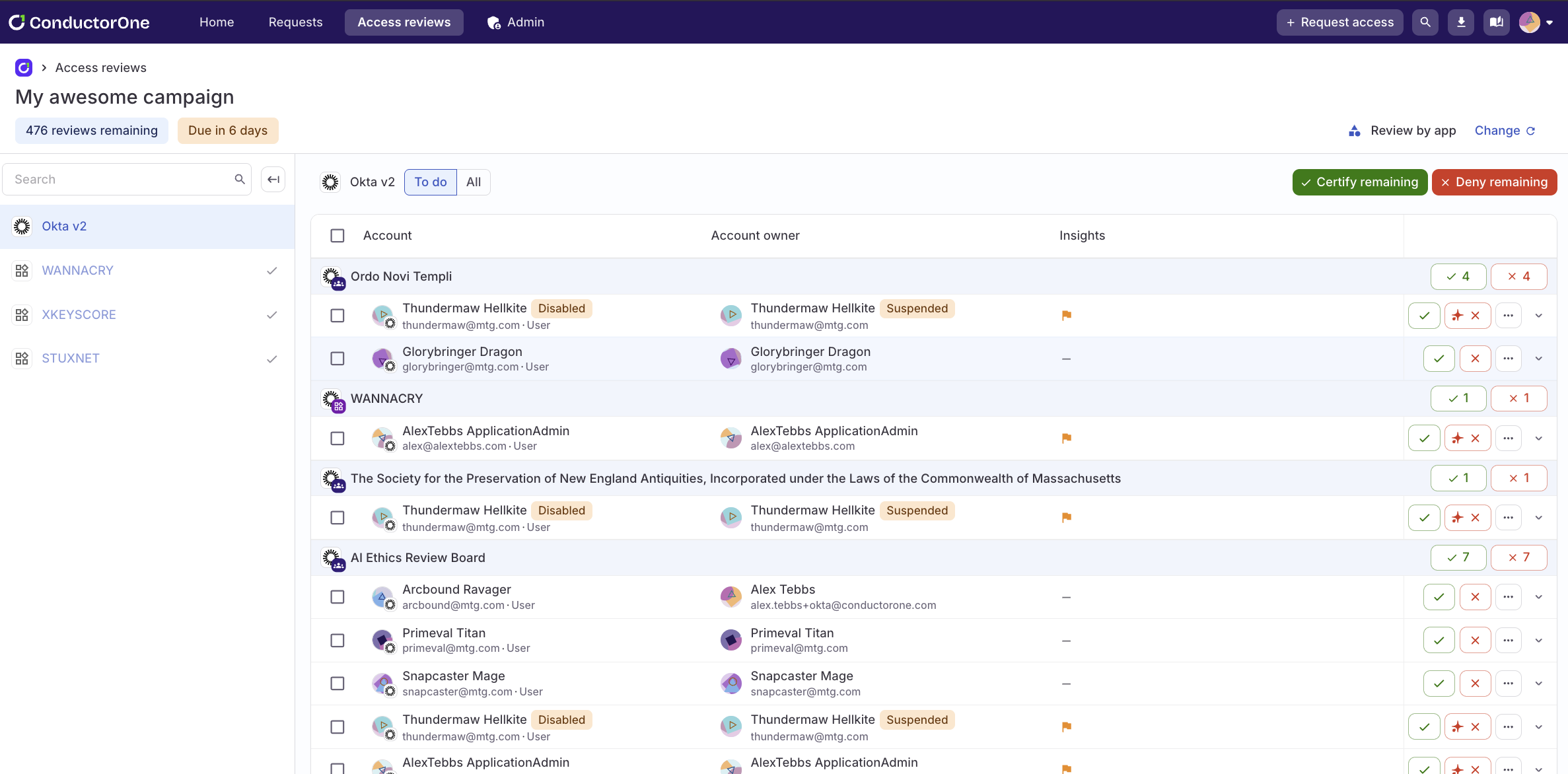
Usability updates
- We’ve added new time functions to our CEL library, allowing you to work with dates and times in CEL expressions. Visit the CEL expression reference on time functions to learn more and see examples.
- We’ve updated the design of the bulk action submission modal to make it clearer that adding a comment is optional. The comment field remains is now hidden by default. If you want to leave a note, click Add comment to reveal the input form.
- Users with the Super Admin role can now create a revoke task for a grant when access is no longer needed or appropriate from the Accounts tab of a user’s details page.
- For teams using C1’s Copilot-powered service desk integration, a new Auto-submit requests setting is available. When enabled, all valid requests will be automatically submitted, and only invalid requests will be routed to your team for manual review.
- You’ll now see a notification popup when the process of closing a campaign gets underway, and another when the campaign has been successfully closed.
Fixed!
- If last login data is available, it is included in the information on a task’s Details tab.
October 17, 2025
Usability updates
- Campaign reports now include a notation of whether the campaign was scoped to include only accounts associated with email domains that are marked trusted or external to your organization.
- To help you more quickly and easily find and resolve validation errors when configuring an automation, you’ll now see a banner in the configuration drawer alerting you if a validation error has occurred.
- We’ve added an indicator of the last time identity data was updated to the Identities dashboard on the Inventory page.
- We’ve been working hard behind the scenes to reduce the time it takes for a connector to sync. Among other performance improvements, you’ll now experience a faster initial data sync when setting up a new application.
Fixed!
- When Max request duration is enabled for an entitlement, Indefinite is no longer an option in the duration selector.
October 10, 2025
Usability updates
- Campaigns and campaign templates can now be configured to automatically notify campaign owners and auto-generate a campaign report when the campaign ends. Find these controls on the campaign or template’s Configuration tab.
- You can now use a CEL expression to form a UAR campaign’s list of users or accounts to be reviewed.
- When scoping a UAR campaign by account parameters, you now have the option to include only accounts associated with email domains that an admin has marked as trusted or internal to your organization, or only those domains external to your org.
- On a campaign’s Tasks tab, you can now filter the list of tasks by account type (user, system account, or service account). Additionally, the Task filter is now called Task type and allows you to zero in on review or revoke tasks.
- To prevent backend issues with the source of C1 users, if your C1 tenant lacks at least one directory app, you’ll now see an alert on the admin dashboard.
Fixed!
- We fixed issues that were preventing users with either the Connector Administrator user role or both the Read-Only Admin and Basic User user roles from completing their assigned tasks.
October 3, 2025
Usability updates
- In lists of tasks, such as on the Task log page or on a campaign’s Tasks tab, you’ll now see a Suspended or Deleted chip next to the name of any task assignee whose C1 account is not active.
- If an application has more than 10 resource types, you’ll now find a dropdown resource type filter on the app’s Entitlements tab, rather than quick filter buttons for each resource type.
September 26, 2025
Usability updates
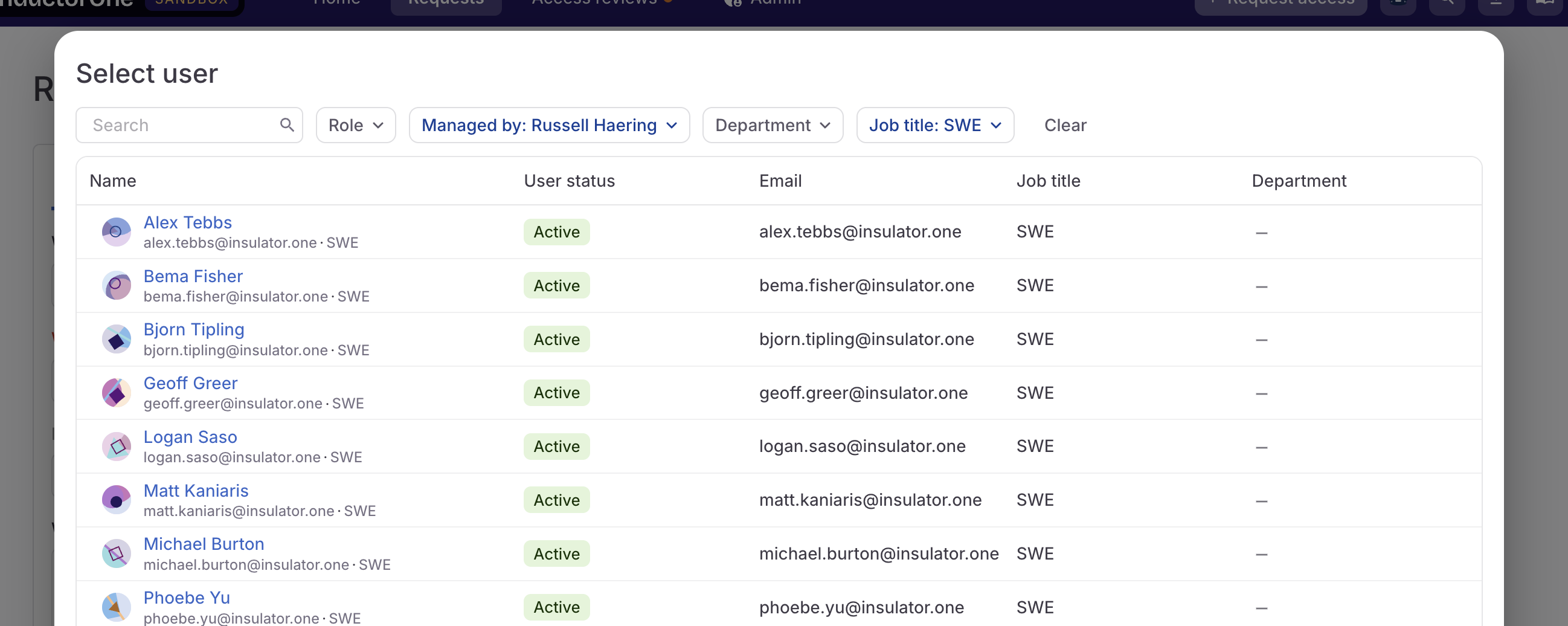
-
We’ve added more information about users as well as new manager, department, and job title filters to the user search and list-building modal. Access this modal by clicking Show filters on a user selection field.
- Ready to delete an object like an application, connector, or access profile? You’ll now be asked to confirm your action by typing the word “DELETE” rather than the full name of the object.
- When setting up a Revoke entitlements step in an automation, you now have the option to revoke all entitlements. This option will create revoke tasks for all entitlements currently granted to the selected user.
Fixed!
- When a limited-duration grant has expired, it is now shown on the user’s App catalog page as requestable, rather than granted.
September 19, 2025
Usability updates
- When configuring a policy rule that assigns a task to a group, you can now set a different group as the fallback reviewer.
- On the Users page, you’ll find new filters for sorting users by job title, manager, and department.
- Notifications about expiring access are now more precise and show exactly how much time remains before the access expires.
- Previously, we only showed the Connectors tab on an application’s details page if more than one connector was configured for the app. But we’ve heard your feedback, and you’ll now find the Connectors tab on every application details page.
- Only active users are shown in the list of users a manager or admin can select from when requesting access for a colleague.
September 12, 2025
Usability updates
- To make access profiles easier to track and manage, we no longer enforce an entitlement’s maximum grant duration, if set, when it’s part of an access profile. Each full access profile is granted and managed as a single, consistent unit, and does not expire piecemeal. Maximum grant durations are still applied on individual grants.
September 5, 2025
Usability updates
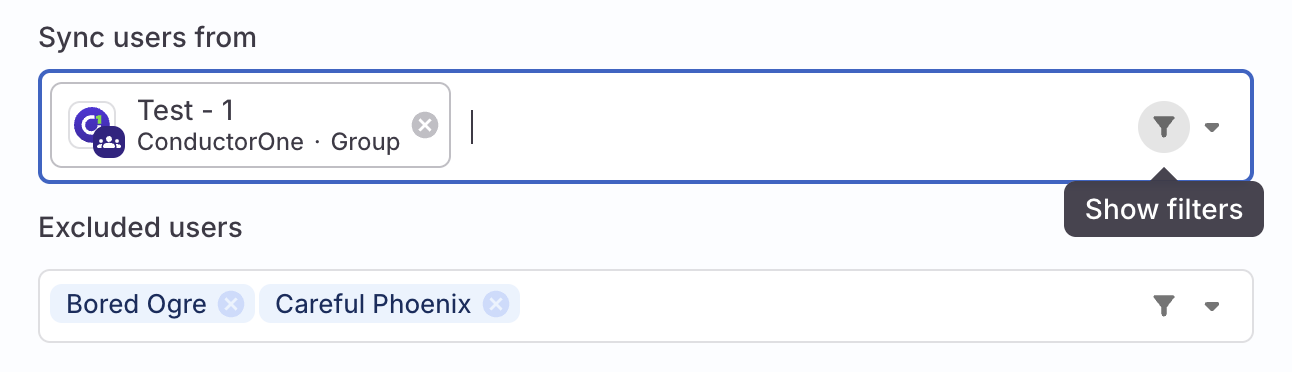
-
To help you zero in on the users, accounts, or entitlements you’re looking for, we’ve added a new Show filters option to select dropdown fields across the app. Click Show filters to open a selection experience with search and filter options that makes it easier to build a list of the assets you need.
-
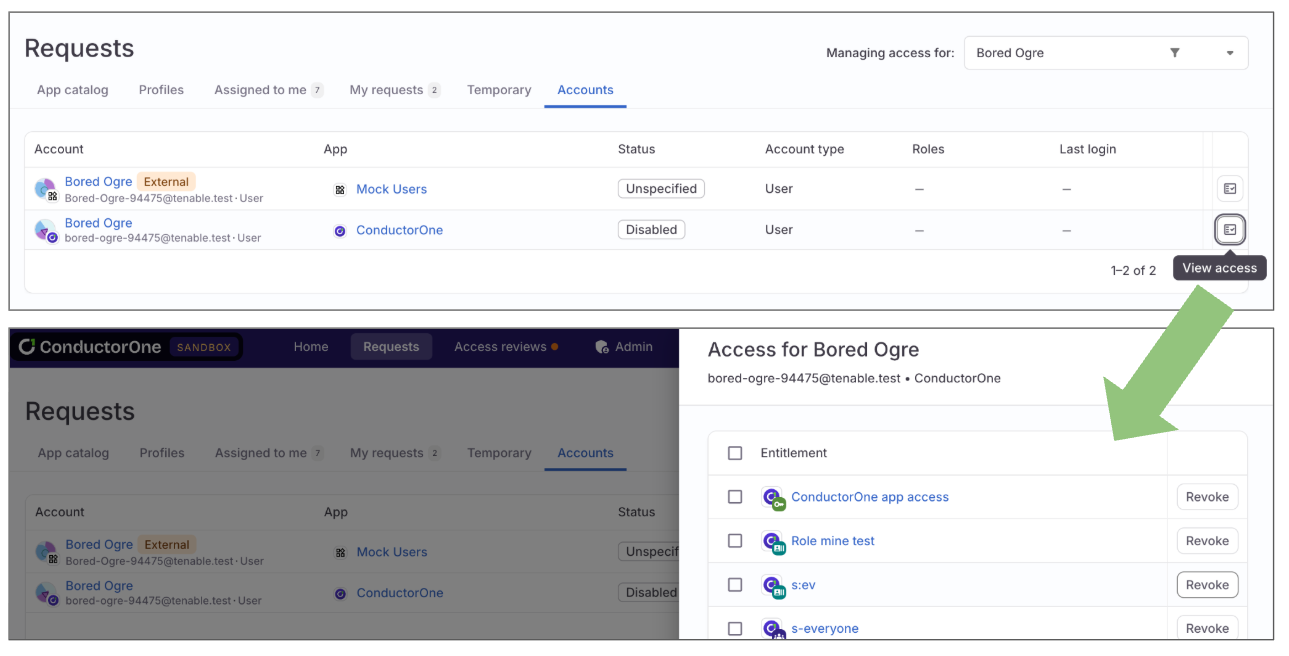
We’ve made it easier to create a revoke task for a grant when access is no longer needed or appropriate:
- Users can create a revoke task for their own unneeded access on the Accounts tab of their Requests page by clicking View access.
- Managers can create revoke tasks for their direct reports on the Accounts tab of the Requests page by clicking View access.
- App owners can create revoke tasks for access held by accounts in their app on the app’s Accounts tab by clicking View access.
- Only users with the Super Admin role in C1 can move unmanaged apps to managed.
- Application owners with the Application Admin role in C1 can now add existing request forms to the entitlements in their apps. Only users with the Super Admin role can create new request forms and modify existing forms.
- We made improvements to the input fields for the Task action automation step. You’ll now find it easier to customize an automation to close or reassign the tickets concerning a user or assigned to a user.
- Eagle-eyed users might have noticed that we’re freshening up some key aesthetic details of the web UI. We won’t list all our changes here (we’ll leave them for you to discover!), but two we’re especially pleased about this week are colorful new avatars for users and user app accounts, and a progress bar that’s shown if you bulk submit a large number of campaign reviews.
Platform updates
- Use Terraform to link a new custom C1 group to an existing IdP group so that C1 matches and merges the two groups during the first sync of the IdP. Learn more and see an example script in the Terraform docs.
Fixed!
- We fixed the names of the bulk actions used for marking multiple grants deprovisioned.
August 29, 2025
System management controls
On the new System management page in the Settings section, we’ve added controls that allow Super Admins to disable all Slack and email notifications, access profile membership automations, and automations for your C1 tenant.Use one or all of these controls when a temporary pause in regular C1 operations is necessary for testing, to prevent unintended consequences, or to perform critical maintenance. Check out Temporarily disable system features for all the details.Usability updates
- You can now configure a policy step to wait for a set amount of time between one hour and one month, or until a specified time in the next 24 hours. To use these new options, select Wait for when editing a policy step, then select the Duration or Time of day.
- We’ve added a field ID to each field in a request form so you can reference fields when customizing external ticketing templates.
Platform updates
- We’ve released a new version (1.0.18) of our Terraform provider, which adds list operations for all data sources.
August 22, 2025
Request forms
If you need requestors to answer questions or provide additional information when requesting certain entitlements, you can now create custom request forms that gather this data. Build request forms to gather precisely the information you need, and set them on one or many entitlements. Check out Collect additional information from requestors using request forms to learn more and get started.Automations updates
- We’ve added two new automation trigger options: Grant found and Grant deleted. Set up these triggers to kick off an automation whenever a specific type of change in a user’s grants occurs.
Usability updates
- On the Applications page’s Managed apps tab, you’ll now find a column showing the number of accounts in each app.
- If an access profile does not yet have any members, no role mining recommendations are shown.
- We swapped the order of columns on the Connectors page, so the links to connectors (instead of links to applications) are at the far left of the screen.
August 15, 2025
Automations updates
- We’ve added a new automation trigger option: Incoming webhook. Set up this trigger to kick off an automation whenever a certain action happens in a connected system.
Usability updates
- Good news for anyone heading out on vacation this month: When setting your own out-of-office delegate you can now select a Permanent (ongoing) delegate or a Temporary delegate with specified start and end dates for the delegation period.
-
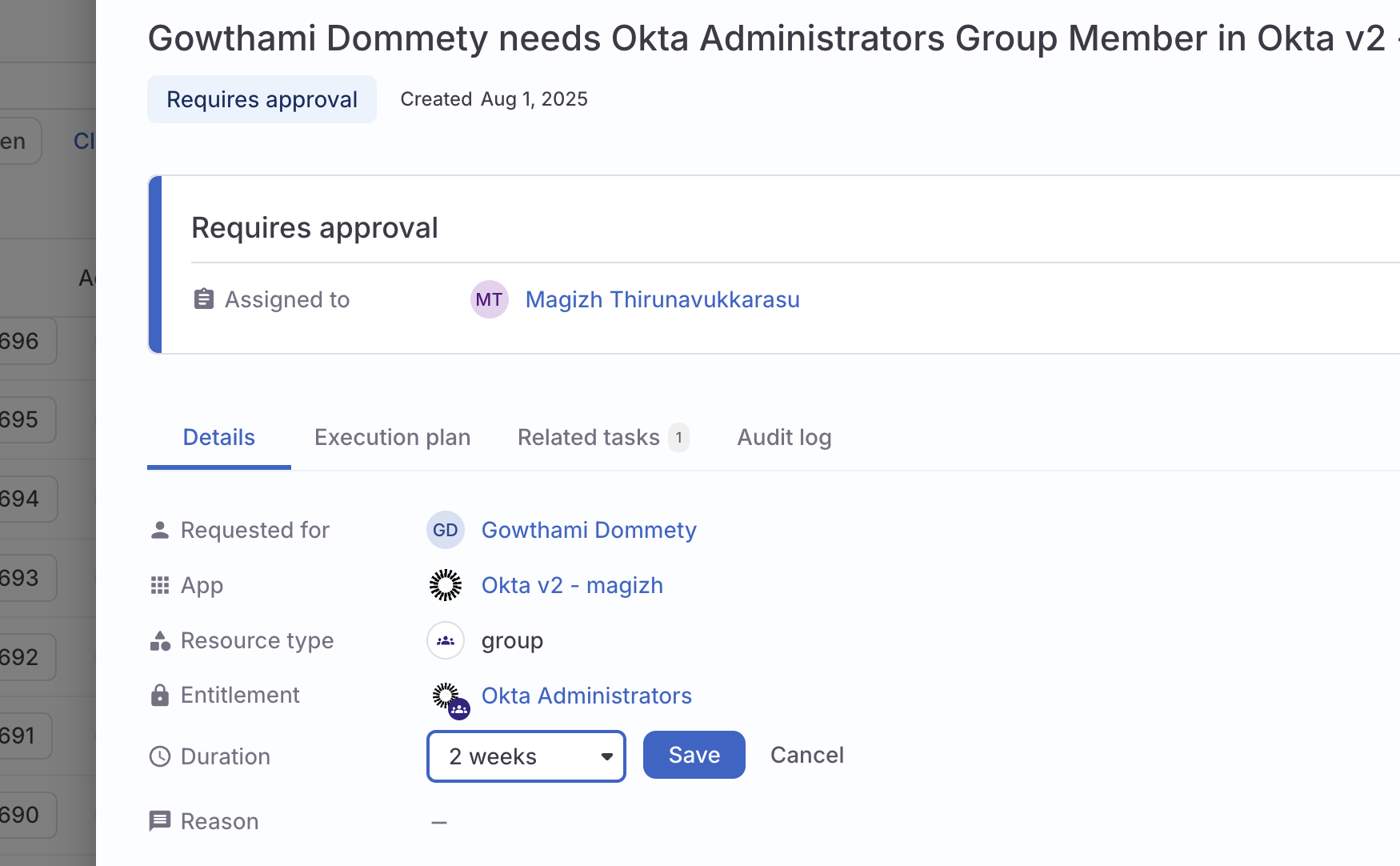
Assigned access request approvers and users with the Super Admin user role can now change the duration of a requested grant before approving the request. The change in duration will be noted in the task’s audit log.
August 8, 2025
Automations updates
- We’ve added a new automation step option: Send Slack message. Use an automation to send a message to a Slack channel when the automation’s conditions are met.
Usability updates
- You can now set whether delegation is allowed on individual policy steps. Set whether each step allows the task to be reassigned to the delegate set by an admin or a delegate set by an individual user.
Fixed!
- We’ve fixed an issue that was preventing enrollment counts from updating properly after enrolled users were deleted.
- If you change applications when setting user attributes, the list of available application attributes is now shown correctly.
August 1, 2025
Role mining
To help you construct well-scoped access profiles and identify overlaps in current access across groups of employees, we’ve introduced data-driven role mining recommendations in the access profile Manage entitlements drawer. C1 automatically identifies apps strongly recommended for addition to an access profile as well as those that might be a good fit. Go to Role mining recommendations to learn more.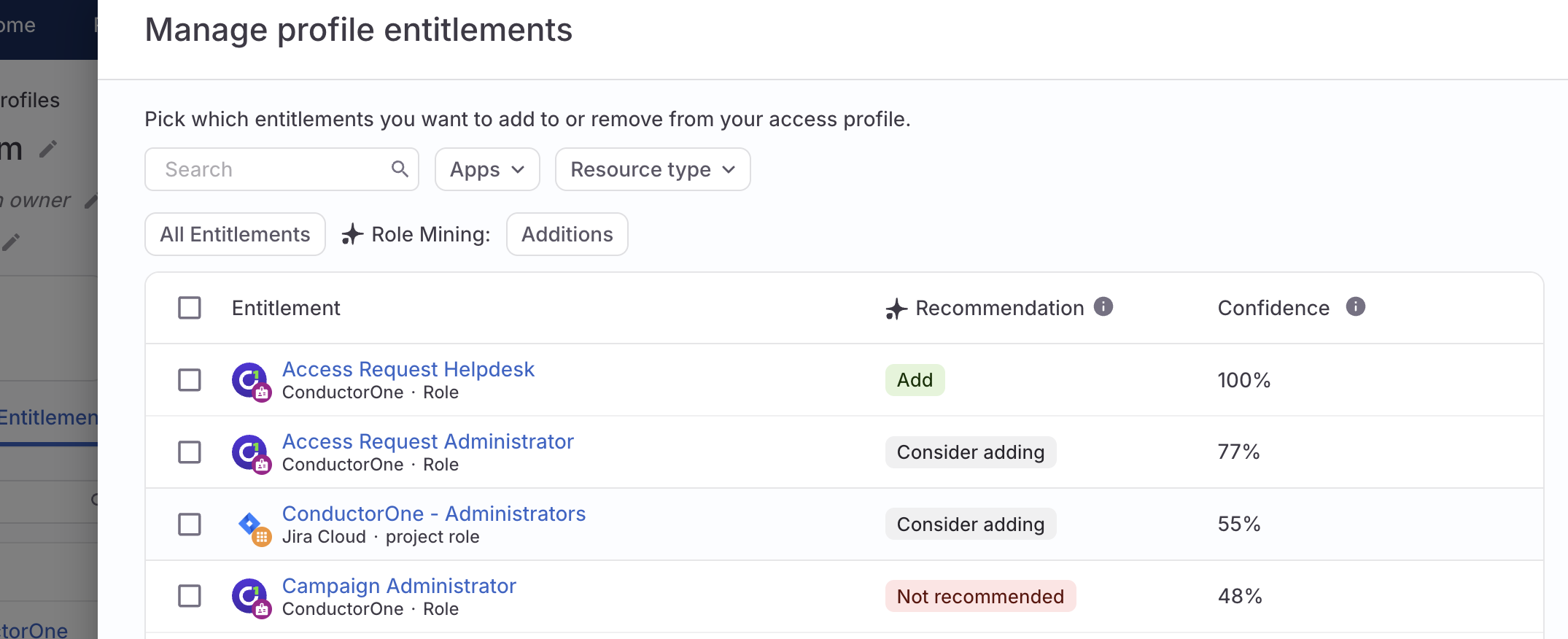
Usability updates
- Click on the chips at the top of each policy’s details page showing the number of apps, entitlements, campaigns, and campaign templates the policy is applied on, and you’ll open a drawer showing the details of where the policy is applied.
- Connectors that support continuous sync (meaning that new data is synced as it becomes available, rather than on a set schedule) now have this capability indicated on their status chip.
- Click a connector’s Connected or Error status chip to quickly open the connector’s log and sync history.
- C1 groups and access profiles can now be included in conflict monitors.
- When creating an access profile or setting an app’s standard audience and choosing the conditions for membership, you can now choose any entitlements (not just groups).
- When completing reviews using the Review by app view, you’ll now find the entitlement’s description printed at the top of the review section.
- If you’re editing a policy and navigate away without saving your changes, we’ll ask you to confirm so you don’t accidentally lose your work.
- The JSON data returned from automation runs is now better formatted and easier to work with.
Fixed!
- When doing a test run of an unused access automation, only accounts in the relevant app are available as test subjects.
- We fixed an issue that was preventing the Read-only API client scopes from being displayed in some cases.
July 25, 2025
A note on connector versions
We’re in the process of upgrading our older connectors from v1 to v2 to improve performance and enable long-term support. While your existing v1 connectors might be marked as deprecated, they are still supported. No action is needed at this time unless you encounter a non-critical issue, in which case we may guide you to migrate.Unused access automations
The new Unused access section on each app’s details page lets you see and manage app accounts that have not been used recently, and that might be good candidates for revocation. Click Account unused > 30 days to view the list of accounts in that state.You can also set up tailored unused access automations from this section to notify, revoke, or perform the actions of your choice when access is not used within a specified timeframe. Go to Unused access automations to learn more.Usability updates
-
Use the new
UserTypeenum with the newtypeproperty in CEL expressions to focus on certain user types (human, agent, service, or system). For example,subject.type == UserType.SERVICEcan be used to locate all service accounts. -
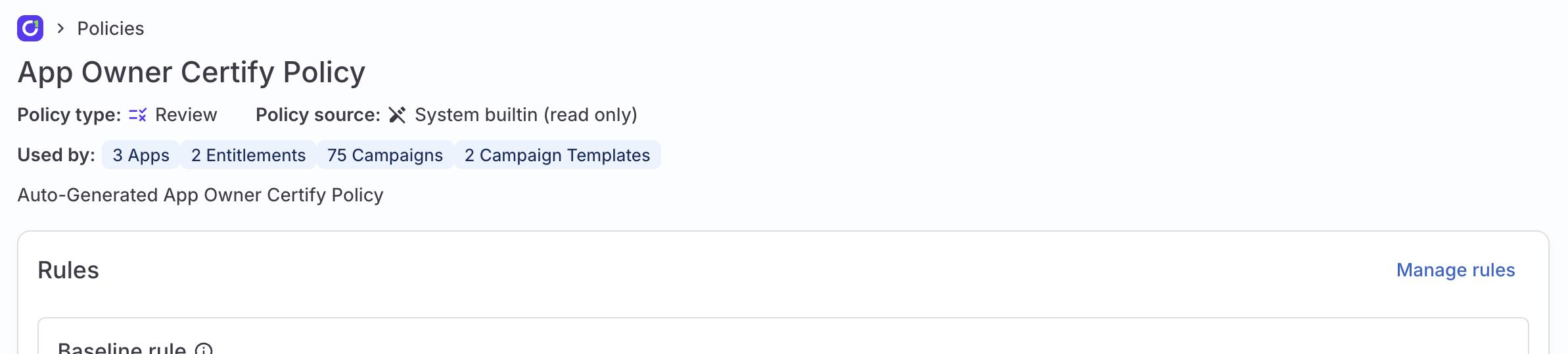
To help you know how policies are being used across your C1 tenant, we’ve added a count to the top of each policy’s details page showing the number of apps, entitlements, campaigns, and campaign templates the policy is applied on.
- You can now include Markdown tables in campaign instructions, access request instructions, and task comments.
- When you make a request on the Requests page’s App catalog tab, a drawer now pops open to show you the newly created request task.
- Disabled and suspended users are no longer shown as options when setting your own out-of-office delegate.
Fixed!
- The edit button for an application’s description is now visible even when the description is extremely long.
- When automatically deprovisioning an account, all steps in the policy are performed.
- Clicking Next user in a by-user campaign correctly loads the next set of reviews.
July 18, 2025
Automations updates
- We’ve added a new automation step option: Grant entitlements. Use an automation to grant a user one or more entitlements when the automation’s conditions are met.
- App-specific automations can be created and managed by application owners who also have the App Admin user role. You can create, view, and manage these automations on the application page’s Automations tab. Go to App-specific automations to learn more.
Usability improvements
-
On the Applications page’s Unmanaged apps tab, we’ve made two key improvements:
- Use the new Parent app filter to show only the child apps of a particular IdP, SSO, or federation provider.
- Select multiple apps and move them in bulk to the Managed state.
- Tasks for apps with last login information now have a color-coded clock icon to provide at-a-glance insight into how recently a user signed into the app.
July 11, 2025
Introducing automations
We’re thrilled to introduce automations, a powerful new feature designed to dramatically streamline your operational processes within C1. Build custom workflows to handle repetitive tasks, reduce manual effort, improve compliance, and achieve greater efficiency.Automations are ideal for:- Kicking off critical processes based on employee status changes
- Providing seamless onboarding experiences
- Ensuring secure and efficient offboarding
- Managing role transfers with ease
- Automating timely access reviews
Inventory page
This new page in the Explore section gives you a comprehensive, single-pane-of-glass view of all your resources and identities synced to C1. You’ll also get insight into key sensitive credentials like API tokens and service account keys from select integrations.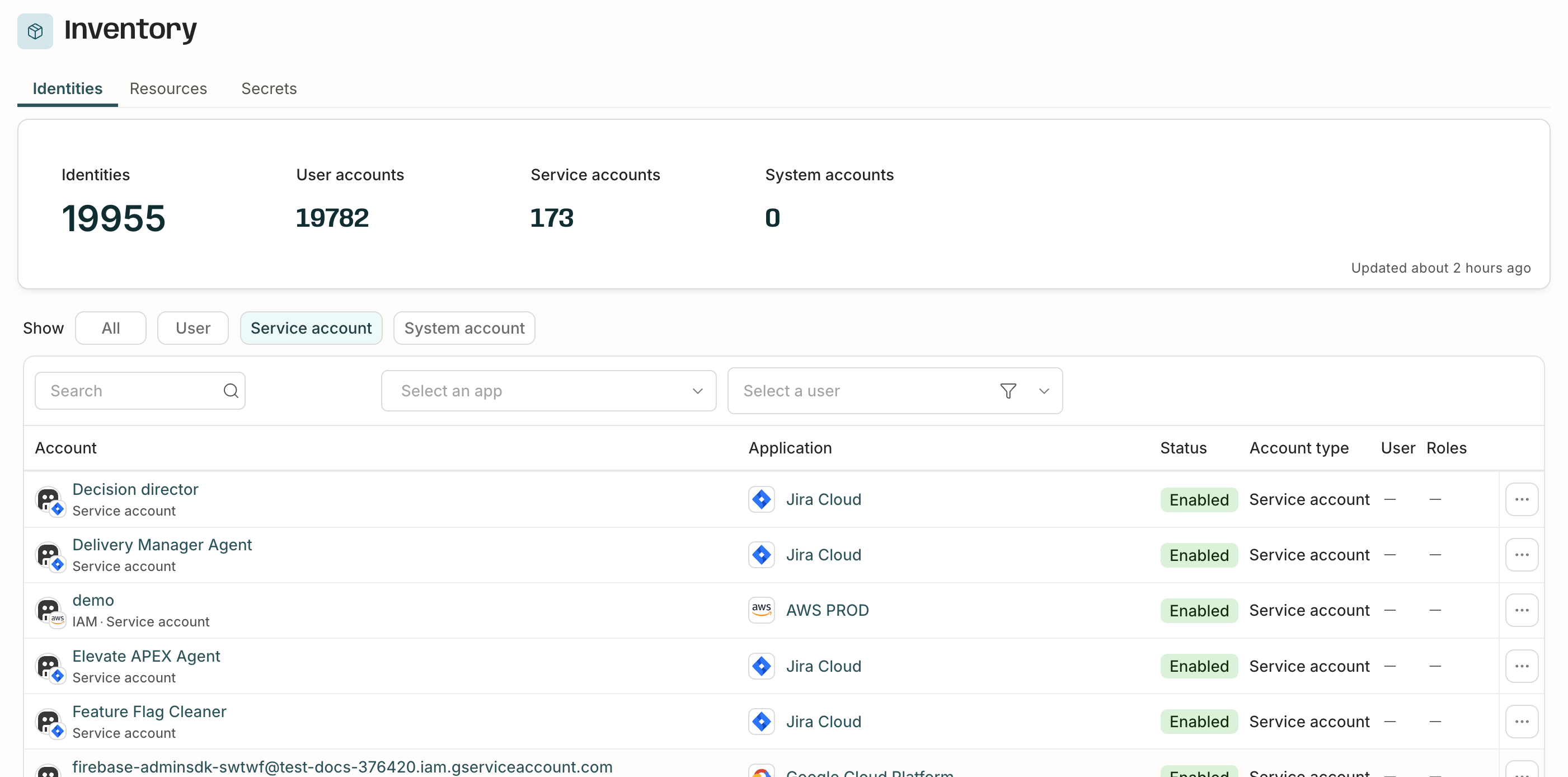
Requests page improvements
- We’ve redesigned the Profiles tab on your Requests page, making it easier to see which profiles and associated entitlements you’re assigned and can request.
- A new filter on the App catalog tab lets you quickly view the apps you currently have access to, the apps available for you to request, or all of the above.
Usability improvements
- You asked, and we’ve delivered: you can now add and change application icons. Check out Upload a custom app icon for details.
- When you replace a file, you’ll now see information on the name of the previously uploaded file and the date when it was uploaded.
camelCase CEL expressions
We are adopting camelCase for all CEL expressions, and moving away from snake_case. This change will make writing and reading CEL expressions in C1 more consistent, and is intended to improve the overall developer experience. You don’t need to modify any expressions you’re using today, but new expressions should be written in camelCase.June 27, 2025
Usability improvements
- You can now duplicate and edit an existing policy if you don’t want to start from scratch. Go to Duplicate an existing policy to learn more.
- If you’ve completed all your assigned tasks in an open campaign, the campaign is moved to the bottom of the list on your Access reviews page.
Fixed!
- You can successfully edit the scope of a campaign template.
- Conflict monitor names no longer have a 20-character maximum length.
June 20, 2025
App account deprovisioning
By default, C1 automatically sets the account deprovisioning process based on your app’s provisioning configuration. To customize deprovisioning, go to the app’s Controls tab and set how app accounts are deprovisioned.Usability improvements
- Entitlement and application descriptions are now shown on the App catalog page.
- You can now format campaign instructions using Markdown to add emphasis, links, and structure.
Fixed!
- Editing campaign templates with a large number of resources and entitlements is now faster and more reliable.
June 13, 2025
App catalog redesign
We’ve given the App catalog tab on your Requests page a refresh to streamline the process of viewing current access and requesting new access.View your profile and set your own OoO delegate
The new My profile page in your profile menu shows all the vital info about your C1 user, including your manager and any direct reports.It’s also where you can now set your own delegate for times when you’ll be out of the office and unable to complete your assigned C1 tasks.Usability improvements
- You can now edit (but not delete or rename) the built-in, auto-generated policies.
- Realize the steps in a policy rule are in the wrong order? Use the new arrow keys to reorder them.
- When setting an application owner, only users with active accounts are shown as options.
Fixed!
- We’ve repaired an issue that was preventing the orphaned accounts explorer query and security dashboard card from populating correctly.
June 6, 2025
Streamline access request configuration
The new standard audience setting on an application lets Application Admins and Super Admins quickly make specific entitlements within the application requestable to everyone in your organization or to select groups, without the need to set up an access profile.Usability improvements
-
You can now provide app-specific instructions to end users who are requesting new access.
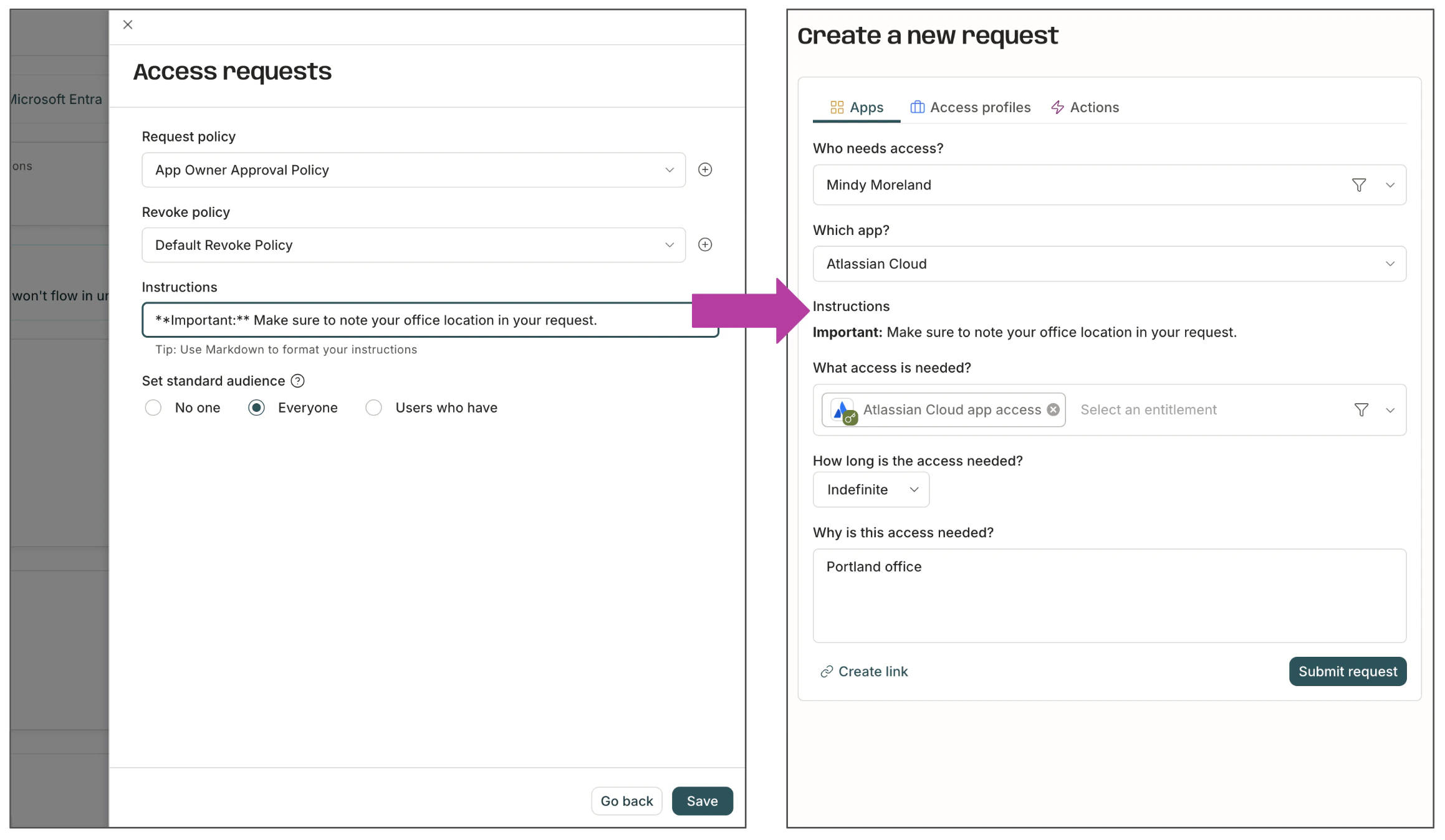
- Any connector that pulls data from an external data source now shows a Sync now button and an option to view the connector’s logs on the application details page and in the list of connectors.
- If an app has linked entitlements to be set up, you’ll now see a banner on the app’s details page.
- App population reports now display more relevant and helpful information. For example, the name of a role is now shown instead of the entitlement name “member”.
Fixed!
- The names of unmanaged apps are now automatically updated when the corresponding apps’ names change in the IdP.
- Deleted access profiles are no longer included in the access summaries shown on an app’s Entitlements tab.
- You can successfully rename an access profile.
May 30, 2025
Connectors
The connector docs have a new home! Visit the connector release notes for this week’s updates.Usability improvements
- Revocation tasks related to your access are now included on the My requests tab on your Requests page.
-
We’ve added clearer error messaging to a task’s Audit log when a
waiting for app user assignmentprovisioning error occurs. - Users no longer receive an email or Slack notification for each new entitlement they are granted when enrolled in an access profile.
Fixed!
- The full list of an app’s linked entitlements is shown, instead of only the first 50.
- You can now successfully delete steps in an account provisioning or deprovisioning configuration.
May 23, 2025
Vaults
Our new Vaults feature allows you to securely manage and distribute the initial passwords for application accounts provisioned through C1.Configure a vault on the Vaults page in the Settings menu, then direct an application configured for automatic account provisioning to deposit newly created account passwords in the vault. Only the vault owner and the new account’s owner can decrypt the new credential. Go to Vaults to learn more and get started.Guiding you forward
In our continuous effort to create a more intuitive experience, we’re making some key adjustments to navigation and naming.-
We’ve merged the Manage access page and all its features into a new one-stop-shop Requests page. Go to this page to submit a new access request, track the requests you’ve made for yourself or others, complete your request tasks, review your app accounts, and manage your temporary access.
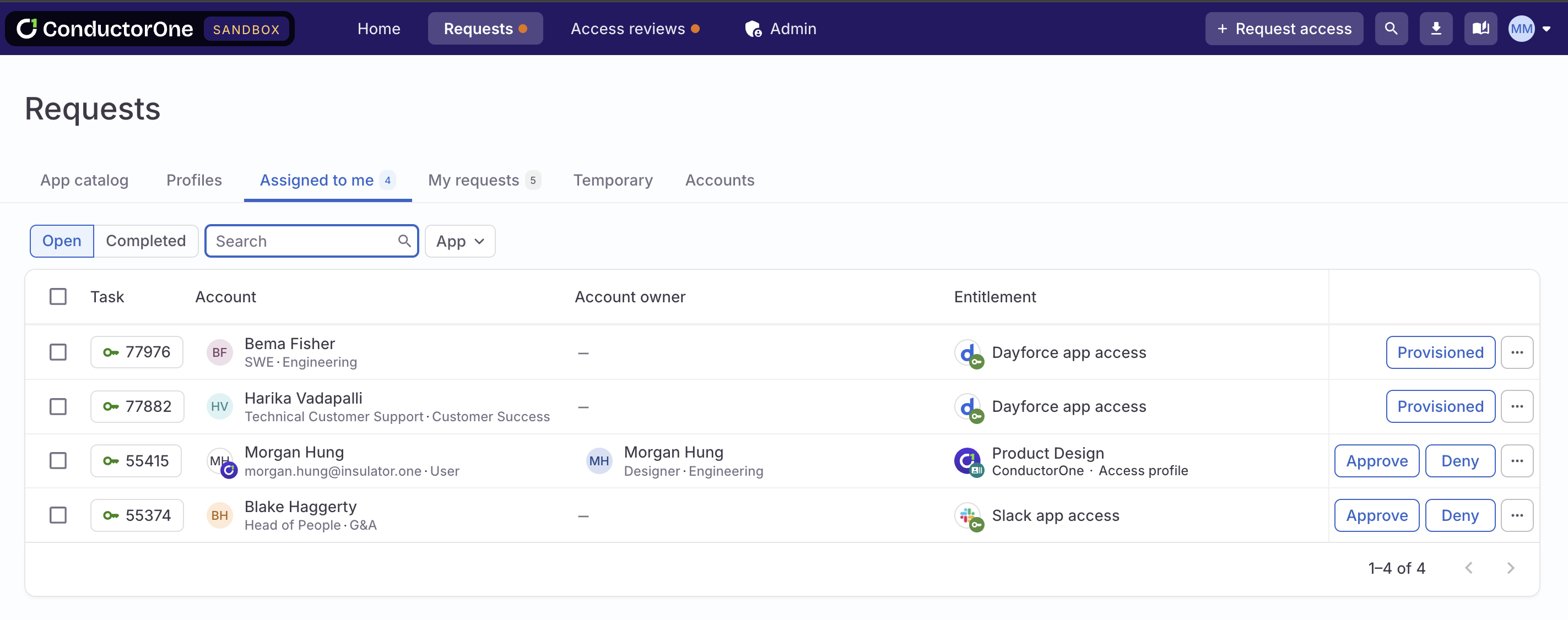
- On the new Requests page, the Expiring access tab is now named Temporary, and we’ve shortened Access profiles to simply Profiles.
Connectors
- The Jira Data Center connector now supports account provisioning.
- A new configuration field on the Slack Enterprise Grid connector adds support for GovSlack.
- We’ve added more helpful error messages to help you diagnose connector sync failures caused by a service outage on the connected software.
- The Microsoft Azure Infrastructure connector now syncs data on eligible permissions for storage accounts.
- The Greenhouse connector now syncs roles for job permissions and future job permissions.
Usability improvements
- You can now set a SLA (service-level agreement) fallback step on a policy. If no action has been taken on a task step when the SLA timeframe you set elapses, the task can be automatically redirected to use a new policy or reassigned to a different user.
- On an application’s Entitlements tab, access controls information is now shown in the Requests column, where you’ll find a tooltip with info on which access profiles each entitlement is part of.
Fixed!
- Conflict monitor alerts are now displayed correctly in Slack.
May 16, 2025
Guiding you forward
In our continuous effort to create a more intuitive experience, we’re making some key adjustments to navigation and naming.-
You’ll now set up and manage linked entitlements on an application’s Entitlements tab. Click the Linked entitlements icon above the table to create and view linked entitlements for the app.
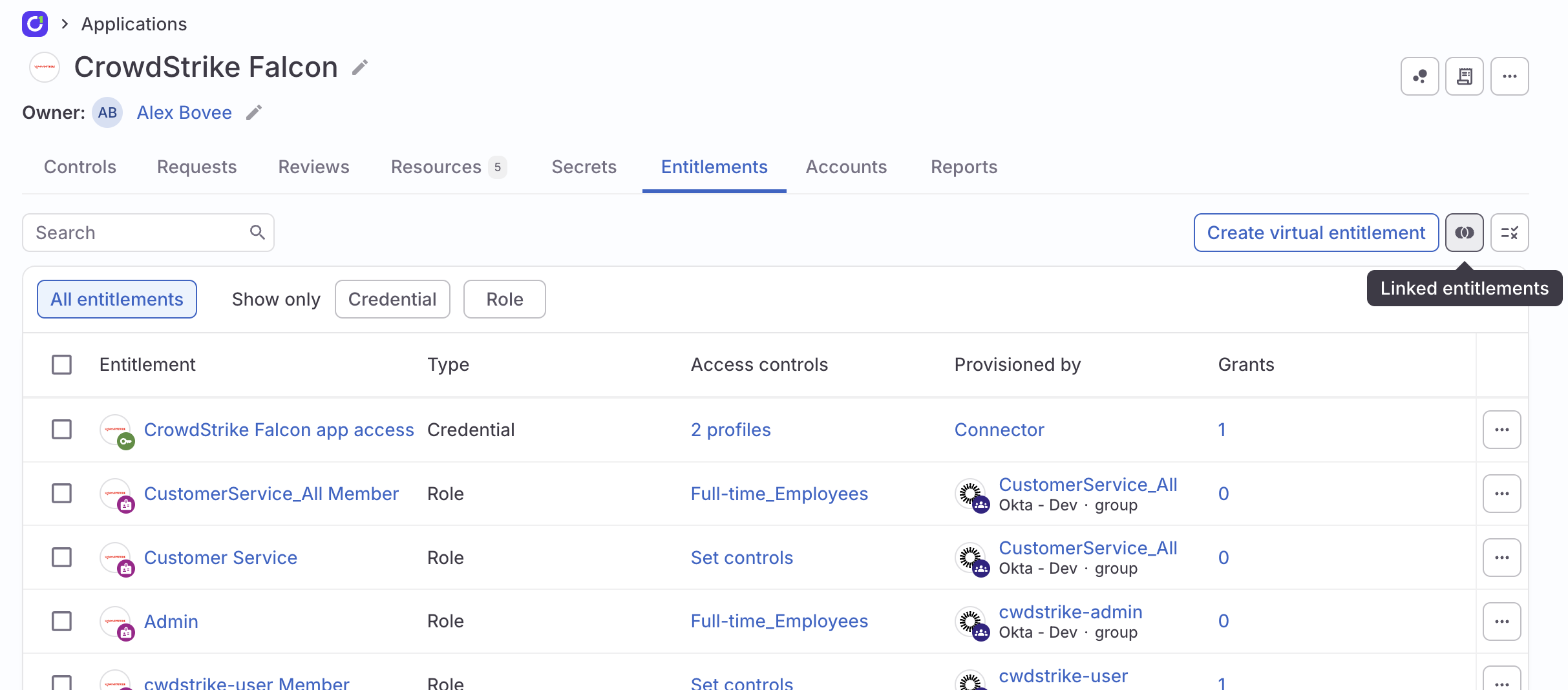
- Custom entitlements are now called virtual entitlements.
Connectors
- New this week: Microsoft Azure DevOps and Workday Account (WQL).
- The new Zendesk v2 connector adds support for syncing roles and provisioning roles, orgs, and groups. Learn more about connector versions and migration.
- You can now specify which user attributes a connector syncs to C1. Go to Select which attributes a connector syncs to get started.
-
A new configuration field on the Snyk connector adds support for users who use regional hostnames other than
api.snyk.io. - We’ve added a configuration field to the Okta AWS Federation connector that opts into the conversion of user assignments to direct assignments.
Usability improvements
- You can now create and download reports of the information on the Shadow apps tab and the contents of an application’s Grant feed.
- If an app has any linked entitlements, a new summary card on the application’s details page shows the number of linked entitlements and provides a quick link to the setup drawer.
Fixed!
- You can now successfully remove a deleted user from a C1 group.
- We fixed a bug that was hiding the Sync now button on C1 groups in some circumstances.
May 9, 2025
Know before you request
Exciting news! When choosing entitlements to request on the Request access form, the dropdown now shows info on the access you currently have, any open requests, and access that will expire soon. If you’re requesting on behalf of someone else, this context is shown for their accounts.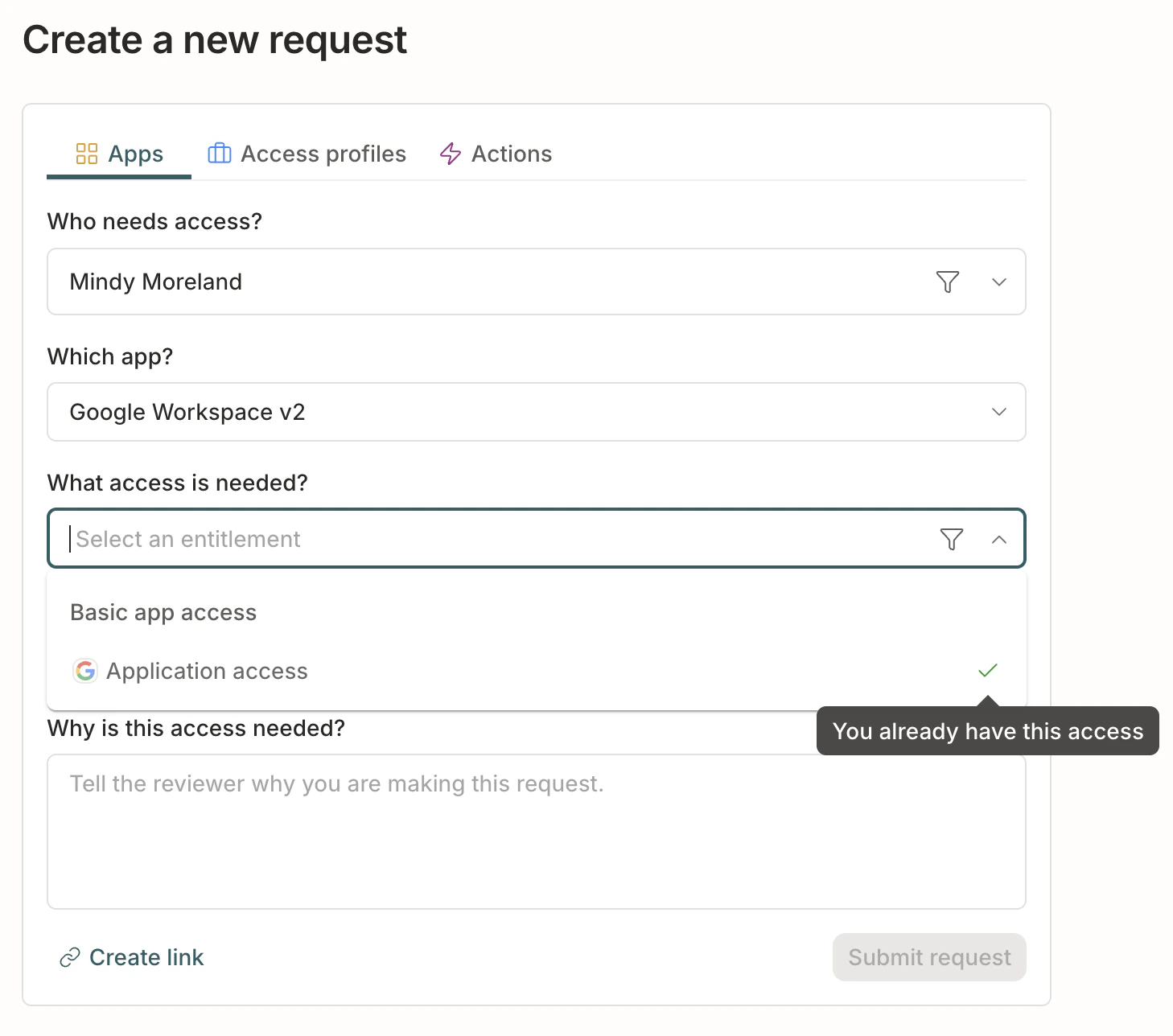
Requests page revamp
We’ve reorganized and simplified the old end-user Tasks page, giving it a new name and a streamlined look. The new Requests page has two tabs:- Assigned to me has all the request, revocation, and provisioning tasks awaiting your attention
- My requests lists all the access requests you’ve created, both for yourself and on behalf of others
Connectors
- The Greenhouse connector now supports account provisioning. You can also use the connector to revoke Site Admin user permissions from accounts. We’ve added a new configuration field to support this feature. Check out the Greenhouse connector docs to learn more.
- The Grafana connector now supports organization provisioning.
- The Asana connector now syncs licenses and supports license provisioning. We’ve added a new configuration field to support these capabilities. Check out the Asana connector docs to learn more.
Usability improvements
- We’re pulling like things together to make C1 easier to navigate. The Users, Groups, and User data sources pages are now gathered in the new Directory menu.
- You’ll now find the Policies page in the Settings menu.
- A new query on the Explore page lets you build a custom list (or a downloadable report) of past grants.
- New summary cards on each access profile’s details page let you see the state of the profile’s membership at a glance. Click a card to go directly to the list of current, pending, or expiring profile members.
- When you add a second connector, file, or data source to an application, you’ll be taken to the app’s newly created Connectors tab without the need for a page refresh.
- When a file is uploaded, the file mapping drawer opens automatically.
Platform updates
- A new function,
c1.directory.apps.v1.GetEntitlementMembers, has been added and can be referenced in condition expressions. Use this function with an app ID and entitlement ID to return a list of users who are currently granted the entitlement.
Fixed!
- If needed, you can now successfully clear the value from a data mapping field when mapping data values from an uploaded file.
May 2, 2025
Refreshed app details page
Welcome to the streamlined and revitalized app details page!Some of the key improvements we’ve made include:- Hover over the app’s name to view its description, owners, and app ID.
- See counts of the app’s open tasks, accounts, and entitlements at a glance.
- Click a summary card to go directly to the list of the app’s open requests, open reviews, accounts, or entitlements.
- Set the app’s Preferred review policy for access reviews.
Connectors
- New this week: RingCentral and CouchDB.
- If a connector has failed three syncs following a successful sync, the connector owner (or the application owner if a connector owner is not set) will receive a email notification about the connector sync error.
- The Grafana connector now supports account provisioning.
- The Asana connector now supports account provisioning and has a new configuration option to add the ID of the workspace where newly created accounts should be added.
- The Incident.io connector now syncs basic and custom roles.
- To improve performance, the Okta-AWS Federation connector now requires that identities be pulled from an Okta connector. See the Okta AWS Federation connector docs for more information.
Usability improvements
- We heard your feedback: Users with the Application Owner user role can now only see the applications they own.
-
On an entitlement’s Grants tab, users with the Super Admin user role can now change the expiration date of grants, or remove the expiration entirely.
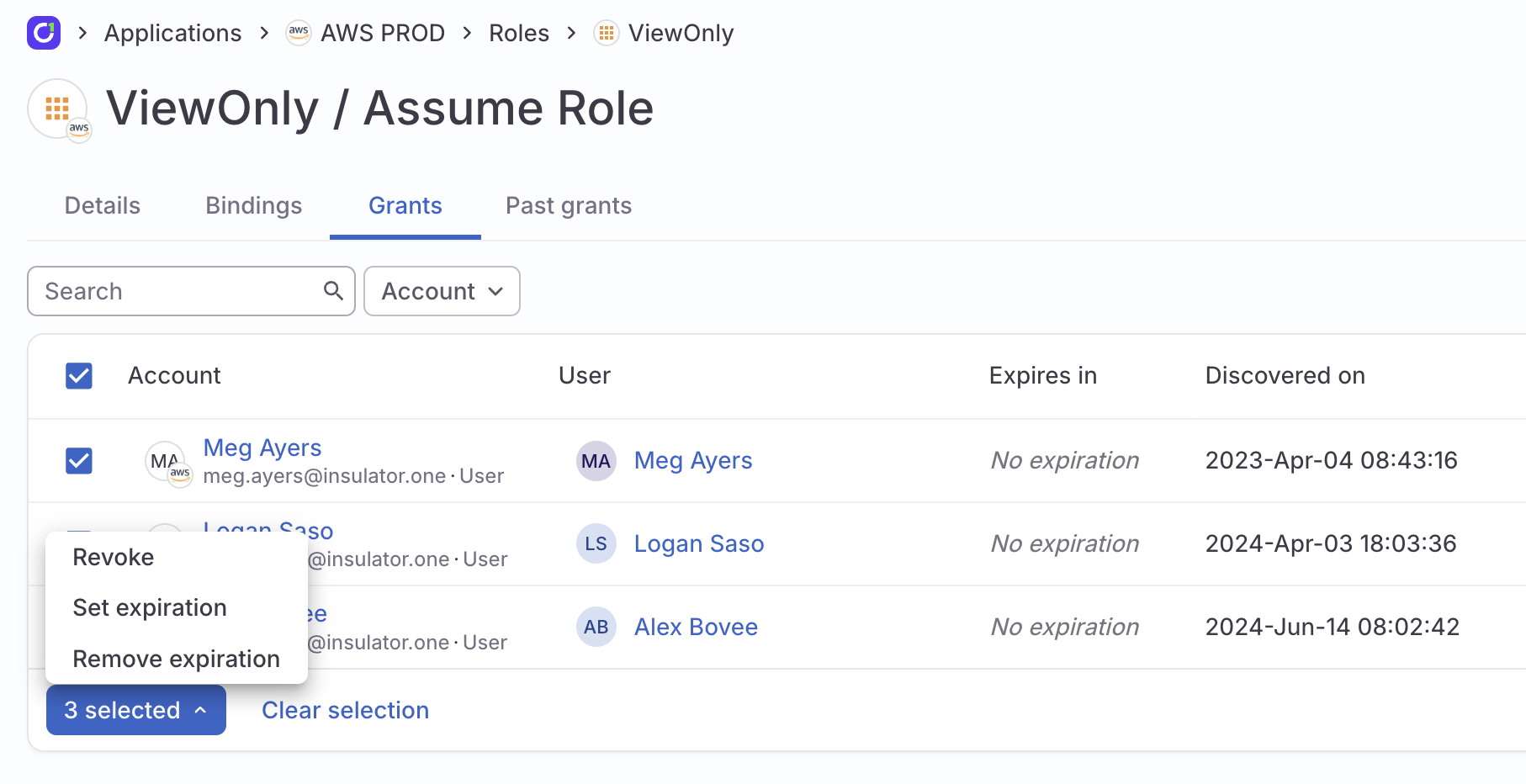
- When relevant, your digest email now includes a section on access grants that will expire soon.
- When requesting an access profile on the Manage access or Request access pages, you can now specify how long you need the access profile for.
- We’ve consolidated access profile configuration settings on a new Controls tab on the access profile’s details page.
- An access profile’s description is now shown in the header on its details page, where you can edit it if needed.
- If a review ticket does not have an assignee, it is now reassigned automatically to the campaign’s owners.
- User avatars have been spruced up for spring with a colorful update!
- Access review assignment cards on the Home page have a new design, and now vanish from the page once your assigned tasks in the campaign are complete.
- Click the new Process now control on the External ticketing page to force a refresh of the external ticket’s state.
Fixed!
- We repaired a bug that was causing some tasks to get stuck after a wait step.
April 25, 2025
Connectors
- New this week: Tray.ai, Incident.io, and Atlassian.
- The Workday connector now supports syncing manager details when using the custom report in JSON format.
- The Slack Enterprise Grid connector now supports account provisioning.
- The Salesforce v2 connector now allows you to opt into syncing connected applications.
Usability improvements
- A connector’s configuration details, audit trail, and sync history are all shown in a new Connector log drawer on the associated application’s details page.
- Current information about an external ticket created by C1 for a provisioning assignment, including ticket status and a link to the ticket, is now shown on the associated task’s details page. We’ve also improved the logging of fatal errors in external tickets, helping you to more easily understand and resolve issues.
- Deleted users are now excluded by default from the Users page. Use the Status filter to show deleted users.
- When requesting an access profile using the Request access form, click Create link to create a sharable link to the form with your inputs captured.
- When a specific entitlement cannot be provisioned until an app account is created, the task’s execution plan and audit log now more clearly show the issue and the steps being taken.
- Last login is now a default account attribute when mapping data values from a file connector. For existing file connectors, refresh the connector’s data to view and set this new mapping option.
- When setting up a policy that allows reassignment of tasks, you now have the option to limit which users a task can be reassigned to. Only the members of the reassignment allowlist will be available when a user reassigns a task.
- You can now set a default access review view on a campaign or template. The default view setting (by app, by user, or unstructured) will open every reviewer’s access reviews in the view you select, but reviewers can switch to a different view, if desired.
- Open tasks are now automatically canceled when a key object is deleted. When a user is deleted, their grant requests are canceled. When a grant is revoked, access reviews concerning it are canceled. When an entitlement is deleted, both grant requests and access reviews for it are canceled.
- Super Admins now have the option to skip a step in a task from the … (more actions) menu.
Platform updates
-
We’ve added two new associated IP addresses:
52.33.197.26and54.68.132.142. All C1 IP addresses are listed at the top of the Connectors overview and FAQ doc. -
A new field,
user.username, has been added to the User object and can be referenced in condition expressions. - We’ve released a new version (1.0.3) of our Terraform provider.
Fixed!
- Name changes to access profiles are now shown correctly throughout C1.
- The Generate report button is no longer displayed if a user does not have permission to generate reports.
- When requesting access, the Which entitlements? dropdown now returns matching resources as well as entitlements.
- Application owners can only delete the apps that they own.
- The C1 Slack app now shows a more helpful error message if a search for apps returns more than 100 results.
- We fixed an issue that was preventing the successful scoping of campaigns by unused access.
April 18, 2025
Request access upgrades
On the Request access form, you’ll now find Basic app access and All other entitlements combined within the Which entitlements? dropdown. Save time and clicks by requesting both app access and one or more specific entitlements in a single request.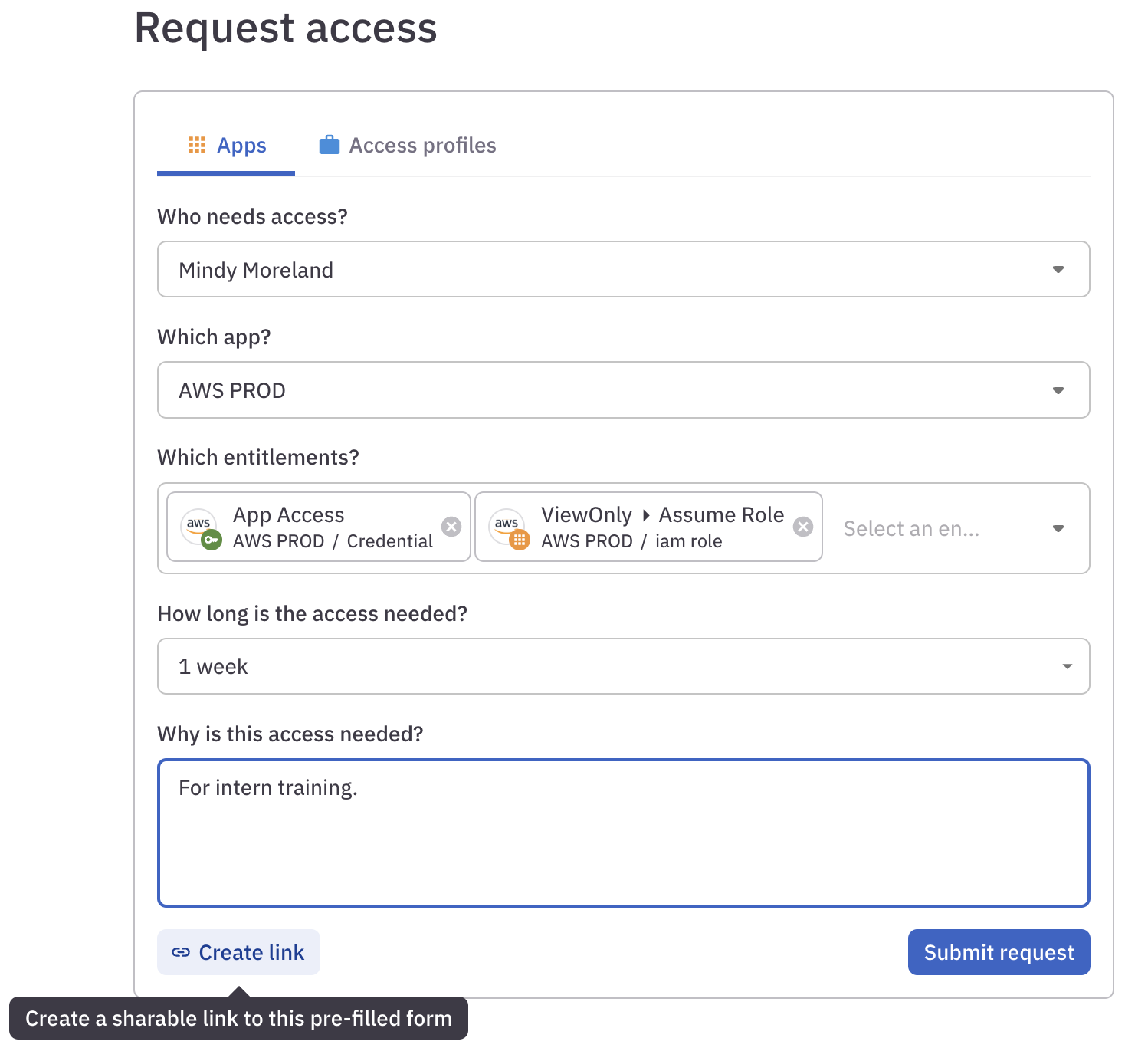
Connectors
- New this week: Rootly.
- The Salesforce connector now supports automatic account provisioning, syncs connected applications, and syncs information on each account’s last login.
- The Workday connector now syncs security groups, and can be configured with a custom report in JSON format.
- You can now configure the Asana connector using a service account token.
- The AWS connector now syncs information on each account’s last login.
- The NetSuite connector now supports provisioning roles.
Usability improvements
- You might have noticed the Task log table stating that a page displayed “1 - 100 of more than 100” tasks. While technically correct, “more than 100” wasn’t very helpful, so you’ll now find the full task count instead.
- On the Manage access page, we’ve added an Accounts tab listing all your application accounts with their status, user roles, and last login information, as available. If you’re managing access for another user, use this tab to quickly view a summary of their current accounts.
- You can now use Markdown formatting in comments on tasks to make your notes to other C1 users as bold, italicized, or linked as you’d like.
- If the user who is the subject of an access review task is deleted after the campaign has started but before the task has been completed, that task is now automatically canceled.
- When an external ticket for a provisioning assignment created by C1 is resolved, this is now noted in the associated task’s audit log.
- On the Users tab, you can now download a custom report of the full users list or a filtered selection.
Fixed!
-
When writing CEL expressions to configure account provisioning, enter
subject.attributes.CUSTOM USER ATTRIBUTEto reference a custom user attribute you’ve set up in C1. (This replaces thesubject.profile.CUSTOM USER ATTRIBUTEsyntax used previously.) - You can successfully apply multiple filters to the Task log page.
April 11, 2025
Updates to app creation and management
Building and managing applications in C1 just got easier! Our updated Applications experience features an intuitive app creation flow for seamless data source integration and a powerful new app details page where you can kick off connector syncs, view top-line application stats, and configure account lifecycle management.New user role: Application Admin
The new Application Admin user role lets application owners see all apps and manage the apps they own. Learn more about this new user role’s permissions and limitations in the User roles doc.Early access: Automatic account provisioning
Certain connectors can now be configured to automatically create new accounts, saving IT teams the time and hassle of manual provisioning. A handful of connectors have this functionality today, with many more coming soon. Check out Provision new accounts to learn more.This new feature is in early access while we gather feedback and fine-tune its details. Let us know if you’re eager to give it a try!Connectors
- The Jamf connector now syncs dynamic roles.
- The Google Cloud Platform connector now syncs organizations.
- A new configuration option on the Google Cloud Platform with Google Workspace connector allows you to specify which projects you want the connector to sync.
Usability improvements
- We’ve added a Created on column to the Task log page.
- The new Access profile memberships access explorer query lets you dig into access profiles, their members, and related data.
-
Hotkey ninjas, this one’s for you: the global search feature can now be opened with
⌘ + KorCtrl + K.
Fixed!
- We repaired a bug that was preventing users from revoking their own access.
- Users with the Campaign Admin user role can successfully generate campaign reports.
April 4, 2025
Connectors
- New this week: SAP SuccessFactors, Notion, and Jenkins.
- The Tailscale connector now syncs roles, devices, and invites.
- The Dayforce connector now syncs roles and groups.
- The Google Workspace connector now syncs Google custom attributes.
-
These connectors received updates and fixes:
- Azure Infrastructure (fixed sync errors when a mailbox fetch fails and errors when optional values were unset)
- Entra ID (captures enterprise application usage)
- Google BigQuery (fixed the cause of a sync error loop)
- Okta (fixed errors that occurred when expected data was absent)
- Workday (adds support for multiple roles in a custom report)
Usability improvements
- On the new Organization page in the Settings area, you have the option to set your organization’s trusted domains. Accounts associated with a domain not on the list of trusted domains will be marked External in C1.
- You’ll now find a Created between date range option when filtering tasks on the Task log page.
- Entitlement details are now shown in tooltips on the Task log page.
Fixed!
- We repaired a page-load issue and improved page load performance.
- We fixed an issue that was preventing campaign accuracy details from loading on some large campaigns.
- Users with the Connector Admin user role can successfully import new application data.
March 28, 2025
Connectors
- New this week: Redis and Galileo Financial Technologies.
- You can speed up the provisioning of Entra groups and roles by enabling the new Schedule SCIM provisioning option when configuring the Entra connector. This option forces a SCIM sync in Entra whenever new access is provisioned in C1.
- The Concur connector now supports role provisioning.
- The Litmos connector now supports course provisioning.
- The Azure Infrastructure connector now syncs storage accounts and storage account containers.
-
These connectors received updates and fixes:
- Slack (fixed an issue that was causing syncs to fail)
- Workday (fixed syncing email addresses for users’ managers)
- Box (adds login error messages)
- Google BigQuery (fixed an issue that was causing syncs to fail)
Usability improvements
- When scoping a campaign by grant criteria, you can now choose to exclude grants sourced from access profiles.
- The list of access profiles is now sorted alphabetically.
- To make it faster and easier to complete provisioning tasks, we’ve added the subject user’s email address with a click-to copy button to the task assignment pane.
- Entitlement details are now shown in tooltips in tasks and when completing access reviews by app.
March 21, 2025
Welcome to your new Home
The Home page is now your personal mission control. Dive straight into action with quick links to request or browse access, and get a crystal-clear snapshot of everything waiting in your task and review queues.Usage data
We’re rolling out the ability to track usage data for key connected applications. Use this data to scope a UAR campaign to review grants that have gone unused lately.- Opt into tracking Microsoft Entra usage data by enabling Fetch user sign-in activity on the Entra configuration page.
- The Okta v2 connector now collects usage data for Okta and the applications that Okta users SSO into. No configuration is needed.
Connectors
- New this week: Greenhouse and Hashicorp Vault.
- The VictorOps connector now syncs schedules.
- The Snowflake v2 connector now syncs secrets and public keys.
- When configuring the Azure Infrastructure connector, you can now opt into skipping unused roles.
-
These connectors received updates and fixes:
- Snyk (fixed an issue with provisioning organizations)
- Zendesk (added additional error messages)
- Snowflake v1 (fixed an issue with syncing users)
- Databricks (fixed an issue with group provisioning)
- Workday (added support for reporting user statuses)
Usability improvements
-
We’ve streamlined the design of the Manage access page. Managers and Super Admins can now select a user at the top of the page, then view that user’s current, requested, and expiring access.
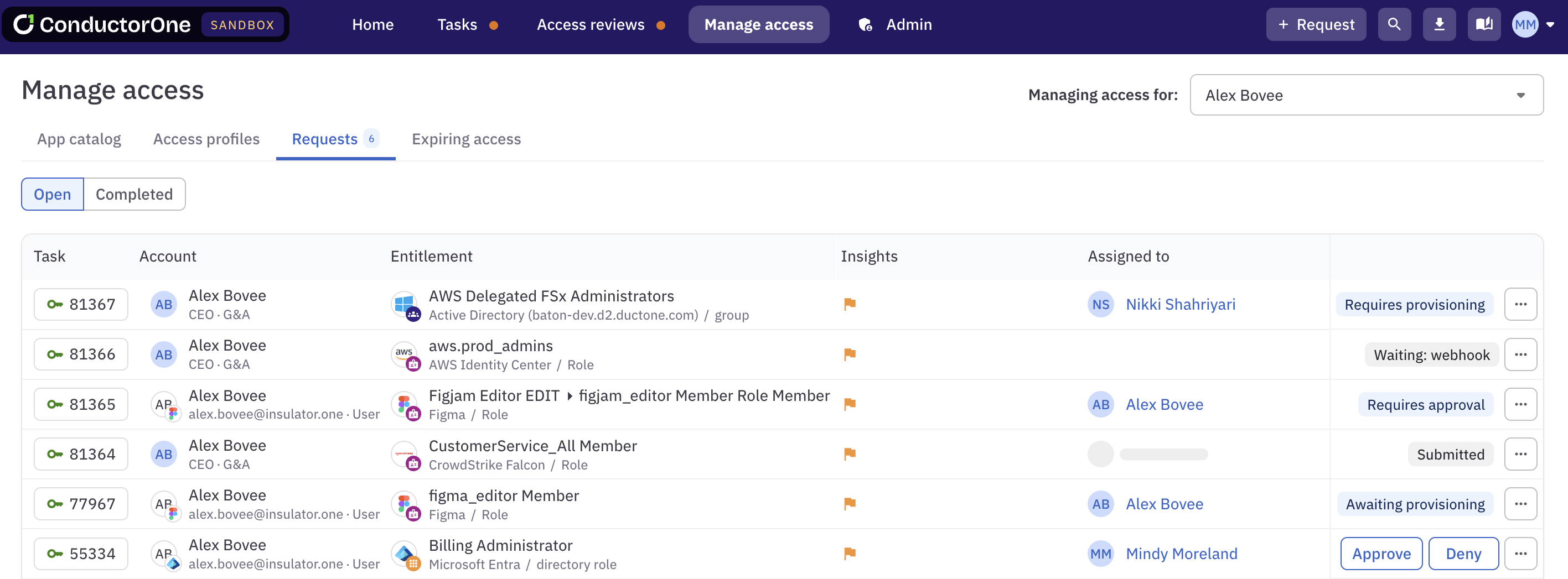
- Campaign instructions are now displayed each time a campaign is opened.
- Provisioning failure errors are included in the task’s audit log.
Fixed!
- Very large conditional expressions in policies can be successfully saved.
- Ownerless accounts are displayed correctly when reviewing campaign tasks by user.
- You can successfully duplicate any completed campaign.
March 14, 2025
Connectors
- New this week: Trello, Freshdesk, and Grafana.
- We’ve added a cloud-hosted option to the Calendly and Fullstory connectors.
- When set up using the API client credentials method, the Workday connector now pulls in the full name and email of each worker’s manager.
Usability improvements
- You can now mark tasks as provisioned or deprovisioned in bulk on the Task log page and your Tasks page.
- We’ve added pagination to very long lists of entitlements on the Manage access page’s Browse tab.
March 7, 2025
Guidance banners
We’ve added sleek new guidance banners to the tops of pages in the Admin section. Whether you’re a brand-new user or a seasoned pro, the banners will point you to key features and relevant documentation.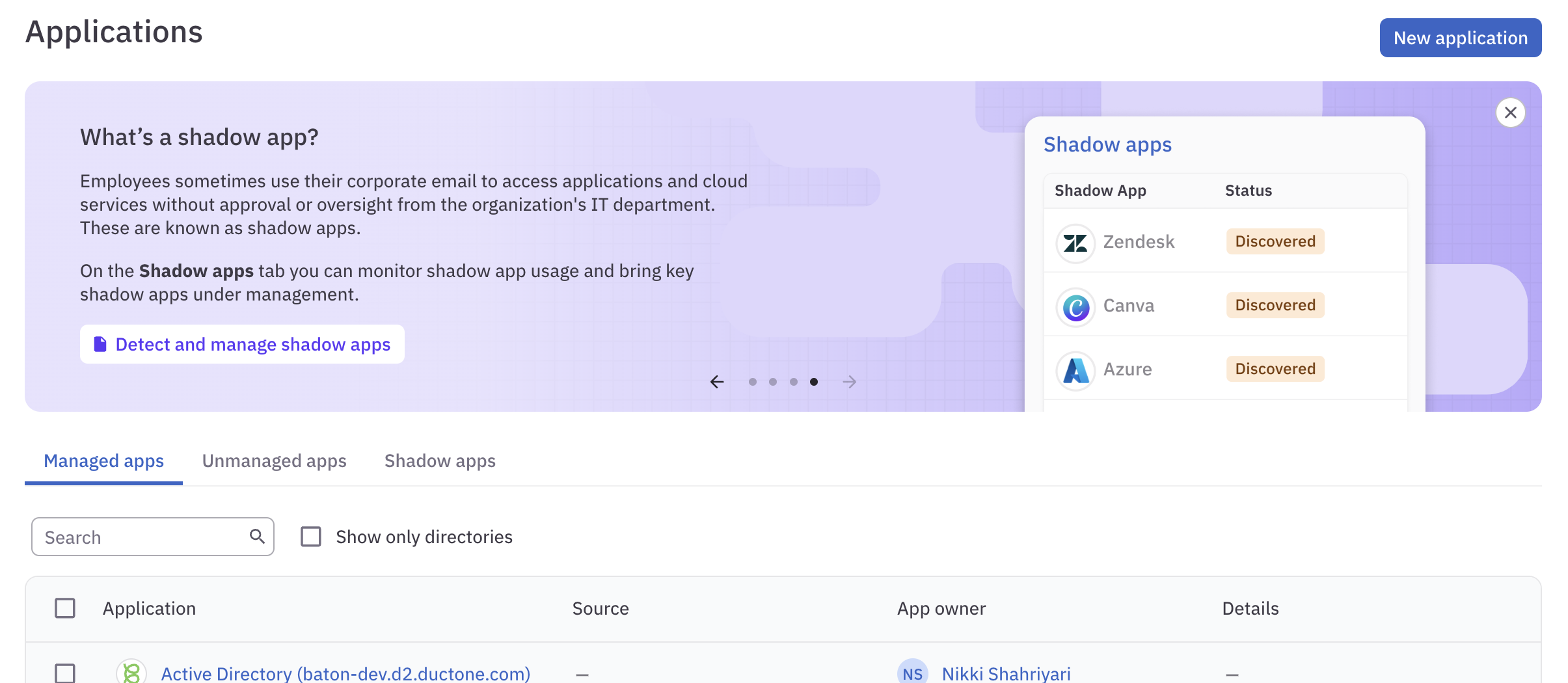
Connectors
- The Linear connector can now be configured to automatically create and update Linear tickets for provisioning assignments. Go to External ticketing to learn more.
-
These connectors received updates and fixes:
- Okta
- Google Workspace
- Azure Infrastructure
Usability improvements
- We’ve increased the maximum number of rows shown on a page from 50 to 100.
February 28, 2025
New user role: Read-Only Admin
The new Read-Only Admin user role is ideal for auditors and others who need visibility into C1 without the ability to make changes. Learn more about this new user role’s permissions and limitations in the User roles doc.Connectors
- New this week: Microsoft Azure Infrastructure, VictorOps (aka Splunk On-Call).
- When configuring the Microsoft Entra ID connector, you can now specify your Microsoft Graph API domain.
-
These connectors received small updates and fixes:
- Databricks (fixed an error with granting and revoking user access)
- Slack (fixed a panic when the connector encounters a network error)
Usability improvements
- The review policy you select when setting up a campaign will now be applied by default to all review tasks in the campaign.
- If you want campaign tasks to use the review policies set on the entitlements (or their respective apps if a review policy is unset on the entitlement level), enable the new Use review policy overrides toggle on the campaign’s Configuration tab before preparing the campaign.
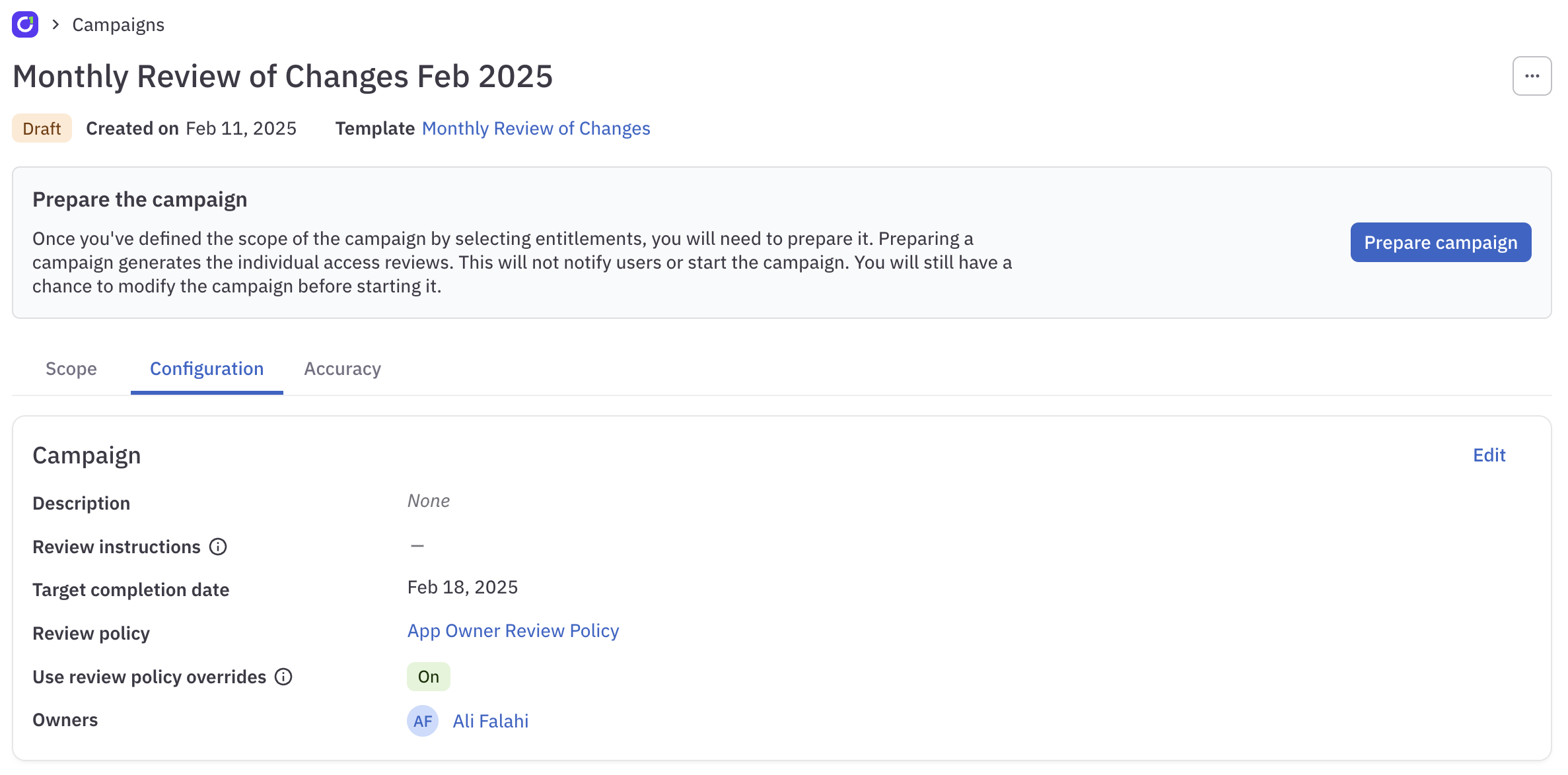
Fixed!
- If you bulk update account types on an application, your changes no longer reset on the next connector sync.
- We fixed an issue with linked entitlement deletion that was causing errors when generating some application reports.
February 21, 2025
PingOne and OpenID Connect SSO support
You can now set up a C1 tenant to use PingOne or generic OpenID Connect (OIDC) SSO for user sign-in. Go to Create a C1 tenant to learn more.Connectors
-
These connectors received small updates and fixes:
- Salesforce (now only syncs accounts with a
UserTypevalue ofStandard) - Databricks (fixed
failed to expand granterror) - Coupa (fixed provisioned roles being deleted on the next sync)
- Confluence (fixed group provisioning error)
- Salesforce (now only syncs accounts with a
Usability improvements
- You’ll now find entitlement configuration default controls on an app’s Entitlements tab. Click the gear icon to open the editing pane and set default access control rules for specific resource types or all entitlements in the app.
- The security dashboard tab has moved from the Home page to the admin Dashboard page.
- At the top of each task’s details view, next to the task number, you’ll now find a click-to-copy permalink for the task.
Fixed!
- A large batch of entitlements can be added to a campaign that is scoped by resource type without causing a timeout error.
February 14, 2025
Automated unenrollment from access profiles
We’re excited to launch automated unenrollment for access profiles, complementing our previously released enrollment functionality. Now, when a user no longer meets the membership conditions of an access profile, C1 automatically initiates the unenrollment process you’ve configured.To learn more about unenrolling users, check out Automate onboarding & offboarding access changes.Connectors
- New this week: PingFederate.
- The Asana connector now supports provisioning of teams and workspaces.
-
These connectors received small updates and fixes:
- Google Cloud Platform
- Google Workspace
- Slack
- GitHub
- Databricks
Usability improvements
- We’ve added click-to-copy controls to the tooltips that show user and account information, making it easier to grab an email address or other info for use elsewhere.
- If you’re a manager or have the Access Request Helpdesk, Access Request Admin, or Super Administrator user roles in C1, you can now request an access profile for another user on the Request access form.
Fixed!
- Users with the Campaign Administrator role can successfully generate scope validation reports.
February 7, 2025
New navigation design
We’re delighted to bring you a redesigned navigation experience that separates end-user tasks from admin configuration pages.
- End user actions are now in the purple navigation bar at the top of the screen, freeing up screen real estate.
- The Assignments page is now called Tasks.
- Users with an admin-level user role can click the Admin button in their navigation bar to reach the admin pages.
- The admin Tasks page is now the Task log.
- The admin navigation panel on the left of the screen is now collapsible.
Connectors
- The Jira connector now supports syncing project roles.
-
We made updates and fixes to these connectors:
- Docker Hub (fixed an issue that was causing an
invalid configerror)
- Docker Hub (fixed an issue that was causing an
Usability improvements
- The by-app access review experience has been revamped. This sleek, streamlined new design features expandable info panels, bulk actions, and clearer indicators of your progress through your assigned access reviews.
- When you click on a task number, a drawer now opens containing the tasks’s details, next steps, related tasks, and audit log. Score one for team #no-more-modals.
- You now have the option to scope a campaign by resource type within an app. This option is especially helpful when used in a campaign template, allowing you to automatically generate, for example, a quarterly review of all the teams in GitHub.
- In connector logs, the details included in each log entry are now alphabetized, making it far easier to locate information and compare results across log entries.
- We’ve improved how AWS SSO and IAM users are labeled, helping you to select the correct user when requesting access.
January 31, 2025
Connectors
- New this week: SendGrid.
-
We made updates and fixes to these connectors:
- Okta v2
- Workday
- Salesforce
Usability improvements
-
We’ve redesigned the tooltips that show user and account information to make them more relevant and helpful.
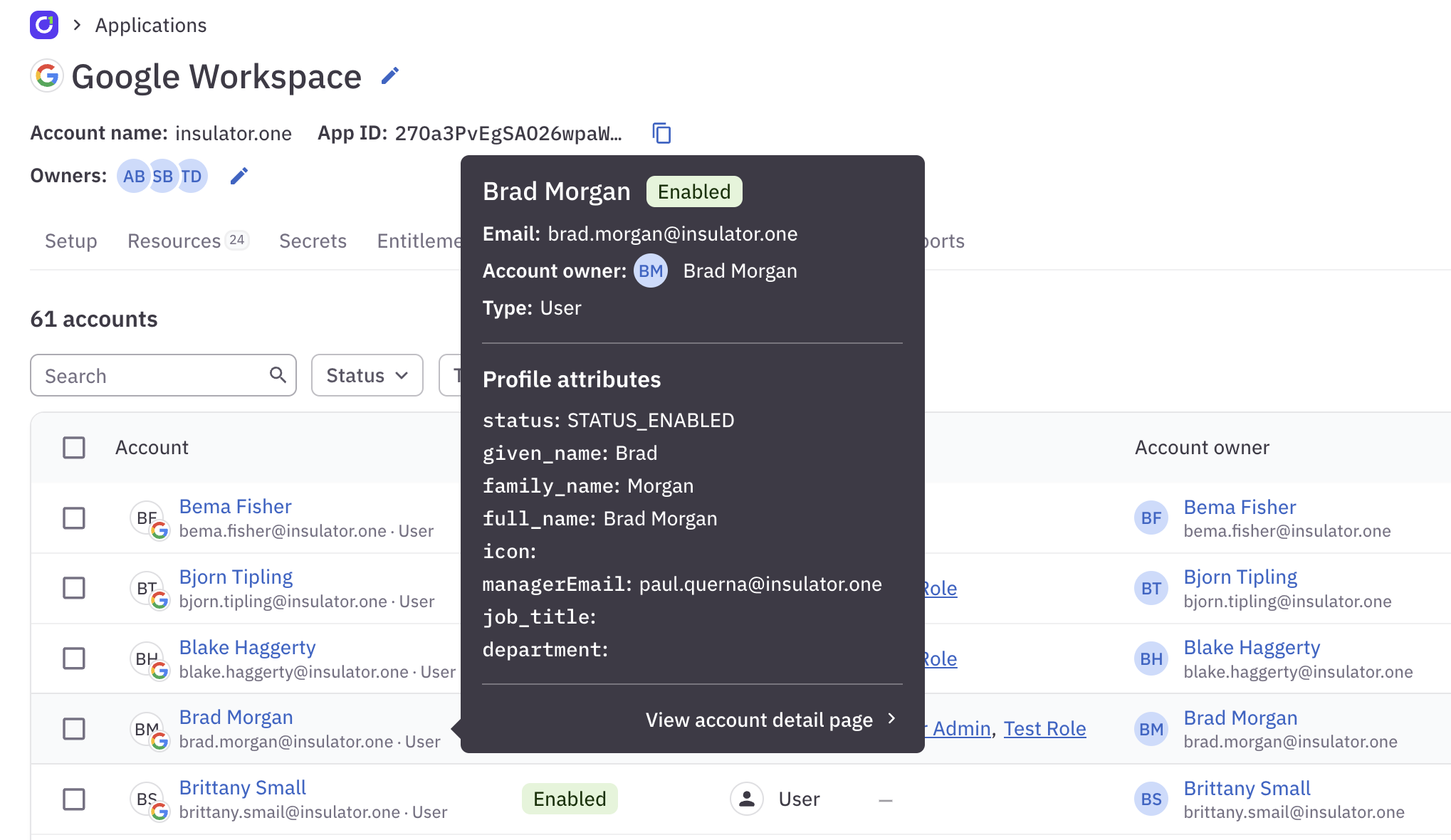
- When setting up an access review campaign template, you can now include instructions that will be displayed to each reviewer in campaigns created from that template.
- When completing access reviews by user, clicking Next user now takes you to the next user with open reviews, skipping any users whose reviews are already complete.
- In campaign reports, deleted tasks are now labeled Deleted, and we’ve added a Resolved on column showing the timestamp of when each access review task was completed.
- Application reports now show both the user’s display name and their user name, if applicable.
January 24, 2025
Usability improvements
-
We’ve added a new CEL function,
AutomaticallyGrantedFromEnrollment, which evaluates totrueif a grant came from automatic enrollment in an access profile. - When completing access reviews by user, you’ll now see an icon if the user’s last login to the app was more than 30 days ago.
- If a revocation task has errored, the task’s outcome is now shown as “Revocation errored” on the campaign’s Access reviews page and in the campaign report.
Fixed!
- We repaired a bug that was preventing campaign reports from successfully generating in certain situations.
January 17, 2025
Connectors
- New this week: Coupa v2, which supports provisioning, and Concur.
-
We made updates and fixes to these connectors:
- Cloudflare v2 (fixed an issue with how role entitlements are listed)
Usability improvements
- We’re excited to introduce a new by-user access review experience. This sleek, streamlined new design features expandable info panels, bulk actions, and clearer indicators of your progress through your assigned access reviews.
-
When setting up an access review campaign, you can now include campaign instructions that will be displayed to each reviewer. If instructions have been provided for the campaign, users will see a Show instructions button.
- When completing access reviews in the Unstructured view, you now have the option to filter your assigned reviews by user HR status.
Fixed!
- We fixed an issue that was preventing some resource names and resource types from being shown correctly in scope validation reports.
January 10, 2025
Connectors
- To decrease sync times, you can now customize the array of Spaces entitlements your self-hosted Confluence v2 connector syncs. Go to Spaces entitlements synced by default to learn more.
-
We made updates and fixes to these connectors:
- Snowflake v2 (fixed the connector’s behavior when lists return no results)
- AWS v2 (fixed sync failures when an SSO user’s status could not be fetched)
- Temporal Cloud (fixed issues with namespace permission grants and extraneous role grants)
Usability improvements
- When scoping a campaign by grant criteria, you now have the option to limit the campaign to direct grant (permissions assigned directly to users) or inherited grants (permissions assigned to a group or role, which are “inherited” by users assigned to that group or role).
Fixed!
- User access review campaigns created from a template now freshly calculate which policy should be applied to each access review when the campaign is prepared, rather than applying the policy information that was correct when the template was created.
January 3, 2025
Connectors
- The Workday connector now supports syncing roles.
- You can now set up the Workday connector using either a custom report or an API client.
- The Databricks connector now includes the option to pass in the hostnames needed to configure the connector for use with Google Cloud Platform or Azure Databricks.
Usability improvements
- Campaign reports have a sleek new look and now include more details on the campaign’s process and outcome, as well as auditor-ready information on the accuracy of the data used to create the campaign.
- When scoping a campaign by user criteria, you can now choose to exclude users who are members of specific groups from the campaign.
For release notes from November 2022 through December 2024, see the Release notes archive.